
Walkthrough
Walkthrough: Badges, streaks and tiers
A read-only walkthrough, not an interactive demo. In the product: scrub a week forward and watch a streak flame survive the weekend or break, with a "don't lose your streak" nudge the evening before. Badges here are for step tiers, streaks and period goals. The demo uses 30 days of fictional steps for one walker and her team.
A walkthrough, not a live demo. Nothing on this page is interactive. Badges cover steps, streaks, tiers and period goals; arbitrary triggers are not promised. Fictional steps; no health data is read. Reduced-motion skips the unlock animations.
Step by step
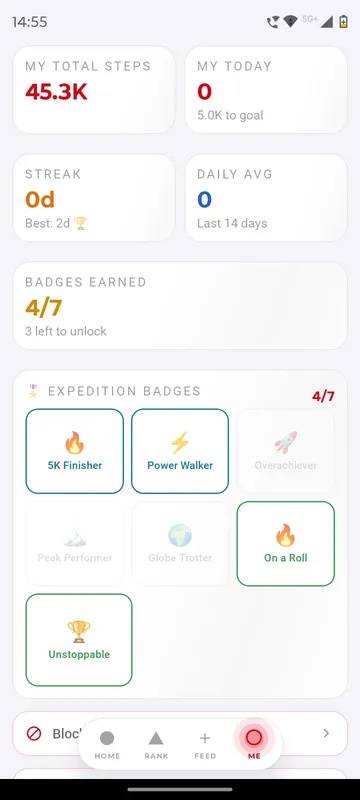
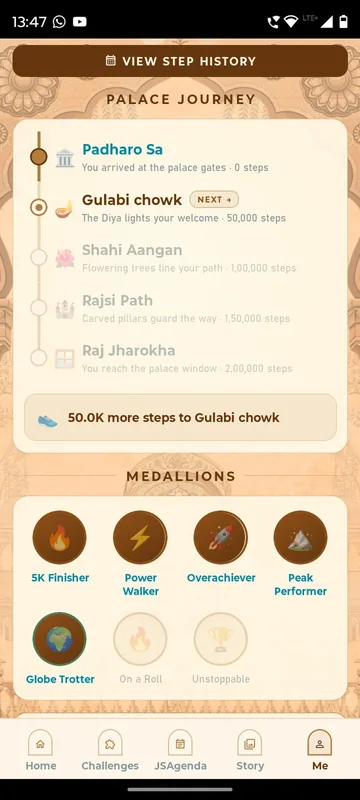
- Open the badge wall. Step tiers, streak lengths and a weekly goal are shown locked or unlocked.
- Scrub the demo clock. Move day by day through a week of sample steps.
- Watch a badge unlock. Crossing a tier plays the unlock and adds the badge.
- Break a streak. A missed day resets the streak; the nudge preview shows what was sent.
What happens on each screen
This is a written walkthrough, not an interactive demo: there is nothing to tap on this page. It describes how the screens behave in the product, using sample data.
Sample data: 30 days of fictional steps for one walker named Priya and her five-person team, including weekends and one unusually high day. Nothing is read from a real phone. The walkthrough begins on the badge wall. Three rows of badges are visible: step tiers at 5,000, 8,000 and 10,000 steps in a day; streak badges at 3, 7 and 14 days; and a weekly 50,000-step period goal, plus a team medal. Locked badges are greyed with a text label of what they need, so the wall can be read without relying on colour. Below the wall is a demo clock with a scrubber labelled by day. Drag it to Day 1. Priya walks 6,200 steps, which clears the first tier, and the 5k badge unlocks with a short animation. Move to Day 3 and a three-day streak badge unlocks. Keep dragging. Over the weekend her steps fall to 3,100, below the daily minimum that keeps a streak alive, and the streak breaks on Sunday night. The evening before, a notification preview showed the nudge Priya received, a reminder that her streak was at risk. The streak calendar underneath marks each day with a tick or a gap, and a list view repeats the same information as text for people who prefer it. Switch to the organiser pane. Here the thresholds for each tier are set, along with the period, daily or weekly, whether the badge is individual or team, and the artwork. The scope is stated plainly: badges are about steps, streaks and period goals. The demo does not promise badges for any arbitrary action. Next step: read the badges and streaks feature page, then see the wellness programme case study to find out how a walking challenge is run end to end.
Questions people ask
What can earn a badge?
Badge types are step tiers, streak lengths, period goals and team medals. The demo does not promise badges for arbitrary actions.
How does a streak break?
A day below the organiser's daily minimum ends the streak. The demo clock lets you see that happen and shows the nudge preview sent the evening before.
Can badges be team-based?
Yes. The organiser chooses whether a badge or period goal is individual or team, and the demo includes a team medal.
Where do the steps come from in a real programme?
They sync from Health Connect on Android and Apple Health on iPhone. Sociana does not connect directly to Fitbit or Garmin.
Seen enough to try it?
We will load a demo with your agenda and your groups, so your team can test it on their own phones.