
Hospitality & My Stay

Flights, rooms and pickups, sorted for every guest.

Collect travel details and ID proofs inside your event app, then send each guest their own stay, flight and pickup. Your travel desk stops chasing spreadsheets. Your guests stop calling.

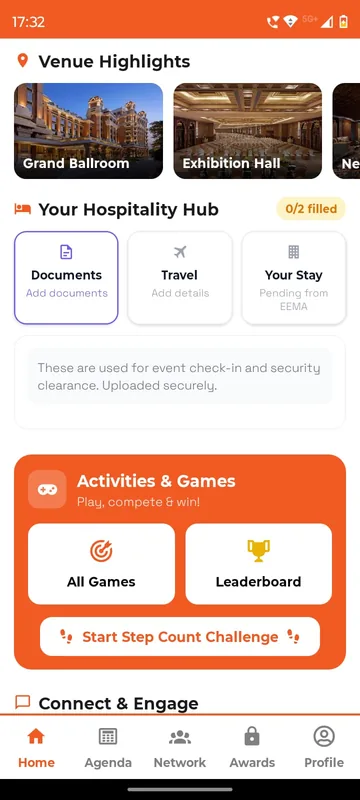
Home with venue highlight thumbnails, a Your Hospitality Hub card for documents, travel and stay and an Activities and Games card with a step count button
EEMA Connect app
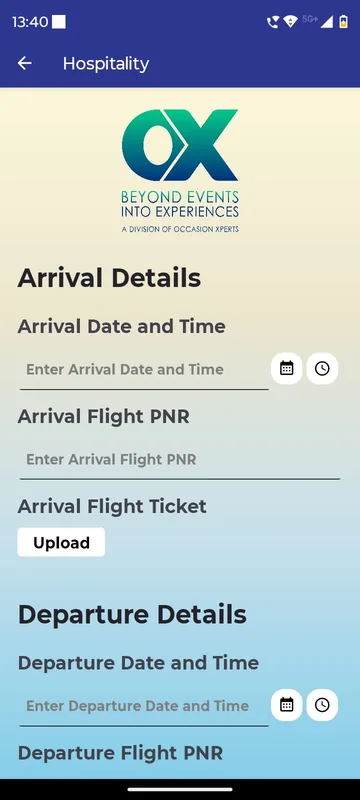
Hospitality form with arrival and departure date and time pickers, flight PNR fields and a flight ticket upload button
Occasion Xperts app

One sheet, not four

Rooming list, PNRs (airline booking references) and pickups live in one place your whole desk can see.

Changes reach one person

A new flight or room goes only to the guest it affects.

Ready for vendors

Export arrival manifests for hotels and transport in one click.

How it works

Three steps, one desk, every guest covered.

  1. Ask once, in the app

    Request arrival and departure details, PNRs, ID proofs, room and meal preferences. Guests answer on their phone in a minute.

  2. See who still owes what

    Your desk sees every reply by group and chases only the guests with gaps. Changes and exceptions are logged.

  3. Publish each guest’s plan

    Every guest gets their own My Stay, flight, cab and liaison-officer details, and nothing that belongs to anyone else.

Illustration

Hospitality, end to end

From a guest’s form to their own My Stay card.

  1. Guest app

    Guest sends details

    Flight, PNR, ID proof and room preference, answered on the phone.

  2. Hospitality desk

    Desk reconciles

    Each field marked pending, provided or verified. Clashes are flagged.

  3. Hospitality desk

    Desk publishes

    Room, pickup and liaison officer go to that one guest, not a broadcast.

  4. Guest app

    My Stay updates

    Hotel, room, cab and who to call, on the guest’s own card.

Collect

Travel forms guests actually finish.

Simple in-app forms for dates, flight numbers, PNRs and ID proofs, with photo upload from the phone. Reminders go only to the people who have not replied.

  • Dates, choices, text and document uploads
  • Aadhaar, PAN, passport or any ID you accept
  • Companion and plus-one details, on request
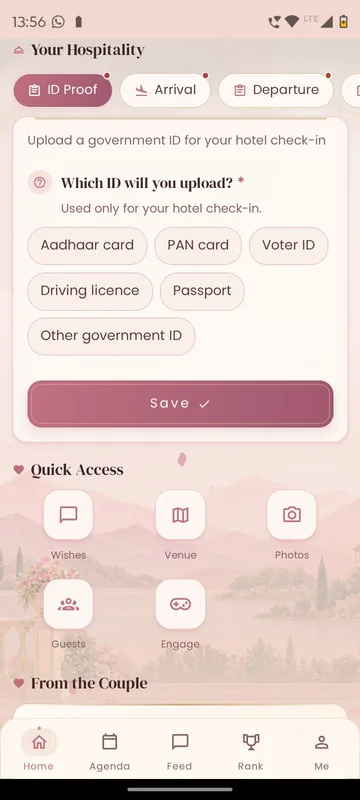
Your Hospitality card with ID proof, arrival and departure tabs and a choice of government ID types with a Save button above a Quick Access grid
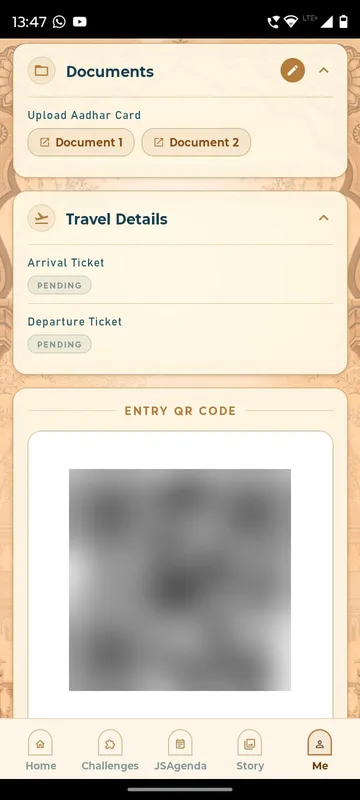
Profile sections for an Aadhaar upload with two document buttons, pending arrival and departure ticket pills and a blurred entry QR code

Publish

Each guest sees their own arrangements.

Once the desk confirms a room or a pickup, it appears on that guest’s card: hotel, room, check-in, flight, cab and who to call. A changed flight updates one card, not a broadcast.

  • My Stay, My Flights and My Journey cards
  • Cab and liaison-officer contacts
  • Personal QR for check-in at the hotel desk
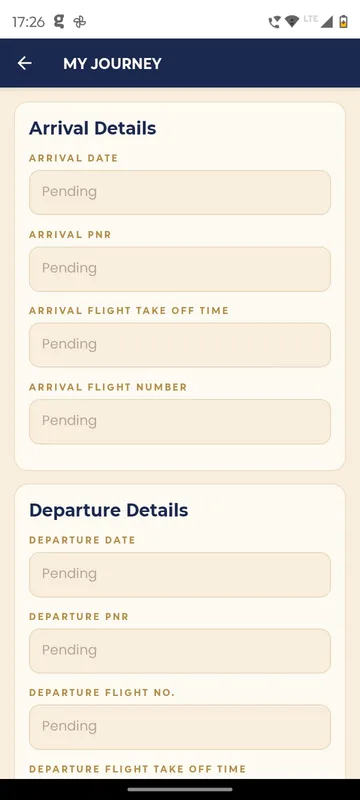
My Journey form with arrival and departure date, PNR, flight number and take off time fields, all in a pending state
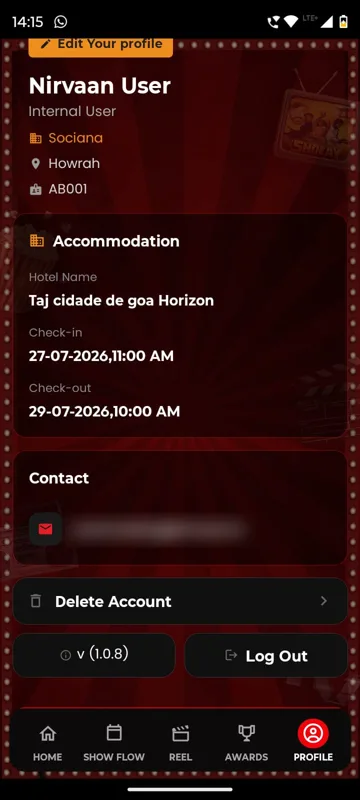
Profile of a test account with an Accommodation card naming the hotel with check-in on 27 July and check-out on 29 July, contact email blurred, Delete Account, version and Log Out

Support

Help is one tap away, day and night.

Guests raise requests by category, from venue help to a lost bag, and your team picks them up from the ops desk. Emergency contacts for the city sit one tap away.

  • Help desk with request categories
  • Emergency contacts and liaison officer
  • Phrasebook and local tips for visiting delegates
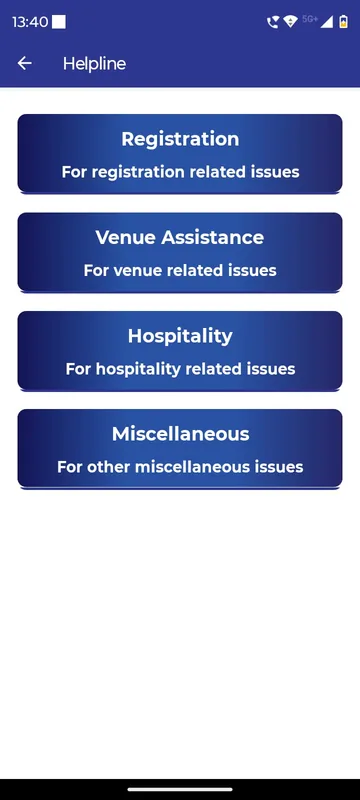
Helpline page with four large categories for registration, venue assistance, hospitality and miscellaneous issues
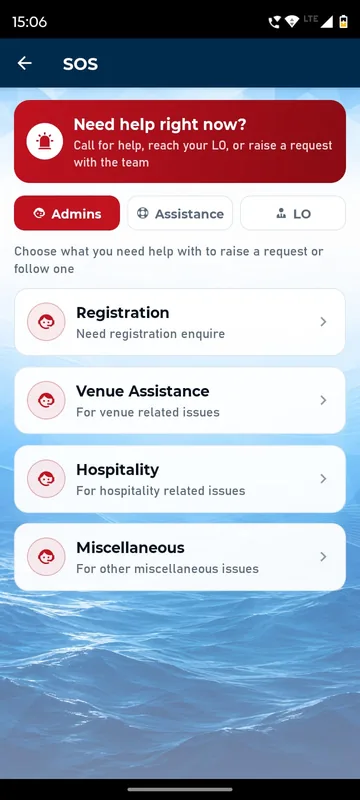
SOS page with a Need help right now banner, Admins, Assistance and LO tabs and registration, venue, hospitality and miscellaneous request categories
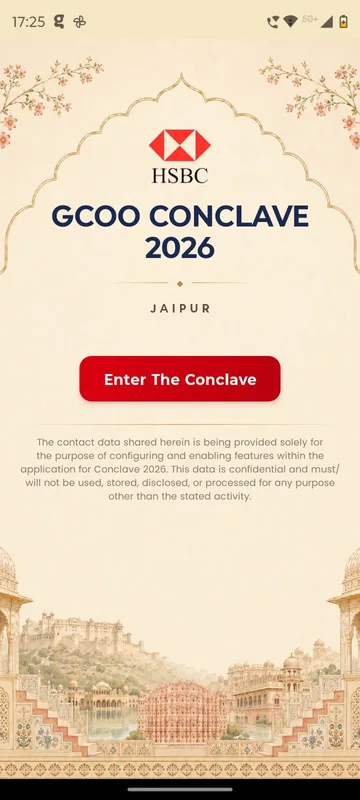
Heritage Jaipur styled conclave splash with a bank logo, event title and city, an Enter The Conclave button and a data confidentiality note over an illustrated palace skyline
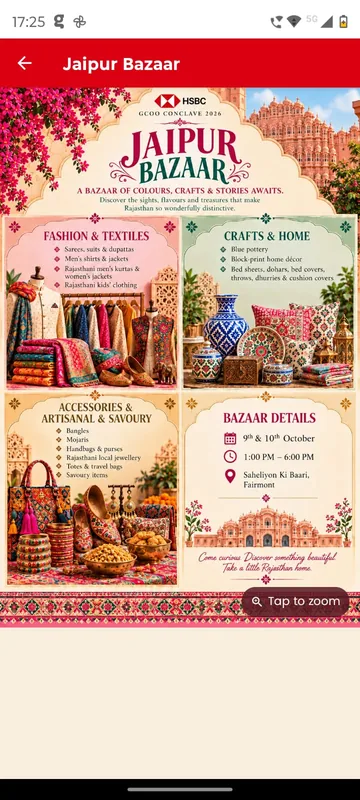
Jaipur Bazaar page with an illustrated poster of fashion, crafts and accessories sections and bazaar timing details

Customer story

GCOO Conclave 2026, Jaipur

Delegates of an executive conclave across two Jaipur hotels found their stay, journey and help desk in one app, with arrivals matched to PNRs before they landed.

“…A big thank you for creating our Conclave app and making the experience so seamless! Really appreciate your support, flexibility and patience in accommodating all our last-minute requests. …”
Sudarshana · Client team, GCOO Conclave 2026
Read the story

Fits these occasions

Where it earns its place

Works with

Pairs well with

Included in

Event & Hospitality

Everything your guests need, and nothing your team has to chase.

up to 500 people10–14 days
From ₹1,40,000 per event, plus GST

FAQ

Common questions

What is My Stay?

My Stay is each guest’s personal card in your event app with their hotel, room and check-in details. Your hospitality desk publishes it once the booking is confirmed, so guests do not have to ask.

How does the desk know who is missing documents?

Every request is tracked per guest, so the desk can filter by group and chase only the people whose PNR or ID has not come in yet. Reminders can go to just those guests.

Is our guests’ ID data safe?

ID documents are visible only to the admins you authorise, are used for hotel check-in and security clearance, and are deleted on your instruction after the event.

Does this work for weddings too?

Yes. Families use the same flow for travel and ID details of guests, room allocation by side of the family, and pickups from the airport or station.

Do you book the hotels and flights?

No. Your team or travel partner books them; Sociana collects the details, keeps them in one place and publishes each guest’s arrangements.

See it with your guest list.

Send us a sample of your rooming list or travel sheet and we will show you how it looks in your own app.