
Customer story · Executive conclave
GCOO Conclave 2026: A hospitality-first app for senior delegates across two Jaipur hotels
GCOO Conclave 2026 brought senior delegates to Jaipur, split between Fairmont Jaipur and The Leela Palace Jaipur. Its Sociana app put each delegate's own arrangements first: My Stay, a View My Journey card with flights and PNRs, a help desk grouped by responsibility, safety and social-media briefings, a priority update on Home, then people, moments, live polls and session feedback.
Client: GCOO Conclave
The occasion in two lines
GCOO Conclave 2026 brought a group of senior executives to Jaipur in October 2026, with the delegates split between Fairmont Jaipur and The Leela Palace Jaipur. The app wore HSBC branding and a heritage Jaipur look throughout. Its first job was to make sure every delegate knew where they were staying, how they were travelling each way and whom to call.
What the client needed
Senior delegates judge an event by whether their room, flight and pickup are right. The conclave team wanted an app built around that, rather than one led by the agenda:
- Personal arrangements first. Each delegate needed their own hotel, room, flights both ways and booking references, on one screen and kept up to date.
- A short, secure way in. Sign-in by the mobile number the organisers already held, with no passwords and no email accounts.
- Duty of care. A confidential health question, an emergency contact, a safety briefing, and a help desk organised by who handles what.
- Calm. Sections open only when they are ready, and one priority message on Home rather than a crowded feed.
- Then the social layer. People, moments, an open conversation, live polls, a gallery and session feedback.
What we built
A heritage welcome and a mobile-only sign-in
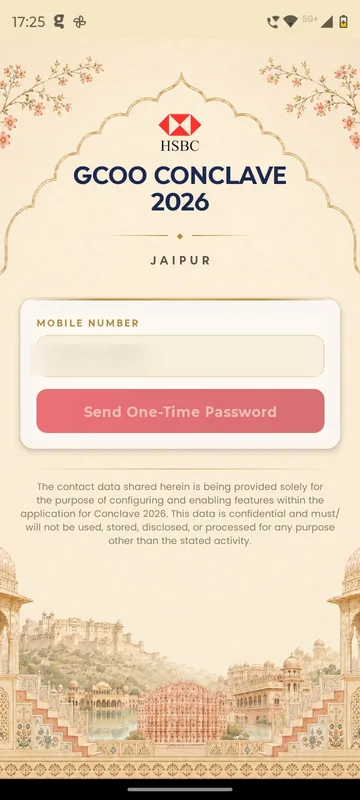
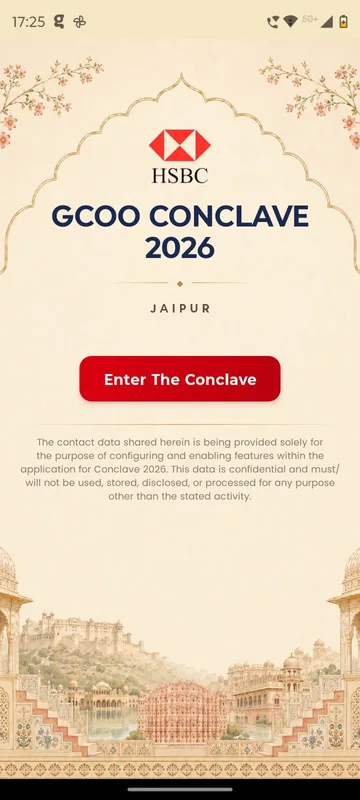
The splash set the conclave logo inside a Jaipur arch, above a note explaining how contact data is used. Delegates tap Enter The Conclave, type their mobile number and enter a five-digit SMS code. If someone types an email address, the app replies that email is not permitted. First-time delegates give their full name and then answer one confidential health question. They can declare nothing, or describe a condition in up to 100 characters. The app does not open until that answer is saved.
Home: countdown, nine tiles and one priority message
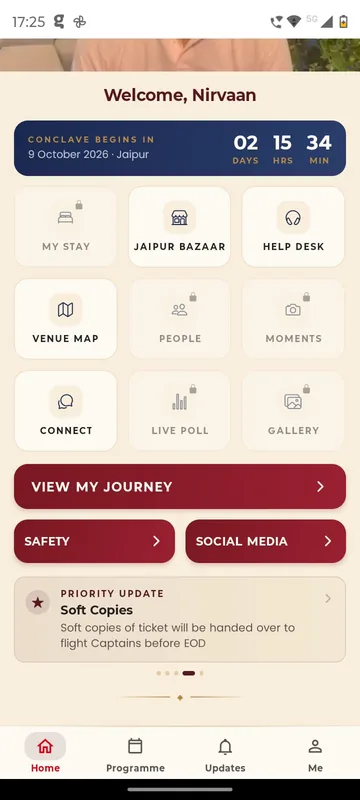
Home opens with a welcome video, then a countdown in days, hours and minutes. Below it are nine tiles:
- My Stay
- Jaipur Bazaar
- Help Desk
- Venue Map
- People
- Moments
- Connect
- Live Poll
- Gallery
Under the tiles sit View My Journey and the Safety and Social Media buttons. A Priority Update card at the bottom carries the one message that matters most at that moment. A faded tile with a lock is not open yet. In the screens from the run-up, My Stay is still locked.
My Stay and View My Journey
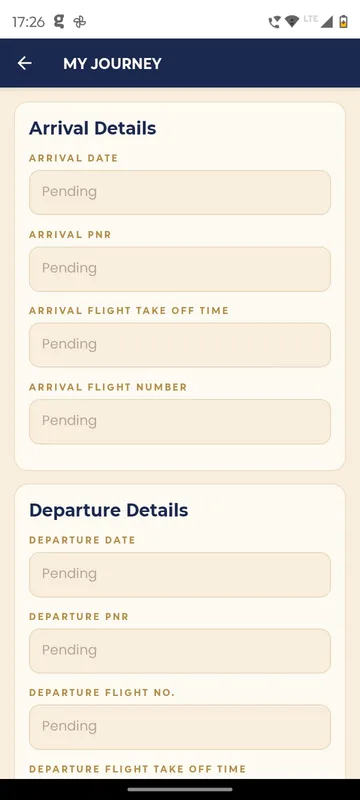
My Stay shows the delegate’s hotel, room number and room card details. View My Journey puts arrival first and return second. Each leg has the date, PNR, flight number and take-off time. Any field the travel desk has not filled yet says Pending, never blank, so a delegate can tell “not ready” from “not needed”.
Two hotels, one map
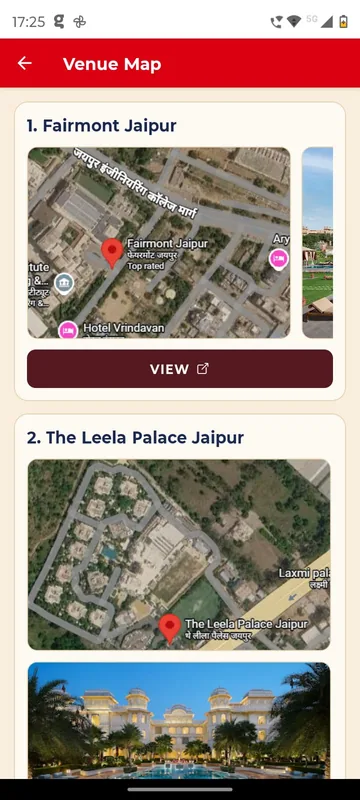
Venue Map gives each hotel a card with a satellite view and a View button that opens directions. The Jaipur Bazaar tile holds an illustrated guide to the conclave bazaar, with its fashion, crafts and accessories sections and its timings.
Help, safety and social-media guidance
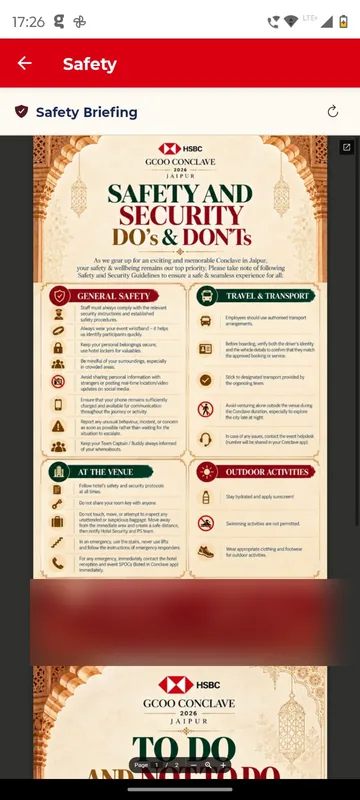
Help Desk groups its contacts by responsibility: the core organising committee, the control centre, logistics and the agency team. A delegate taps a number to call, or an address to write. The safety briefing covers general safety, travel and transport, the venue, outdoor activities and emergency contacts. Next to it, the Social Media page sets out what delegates should and should not post from the conclave.
Me: health, emergency contact and networking card
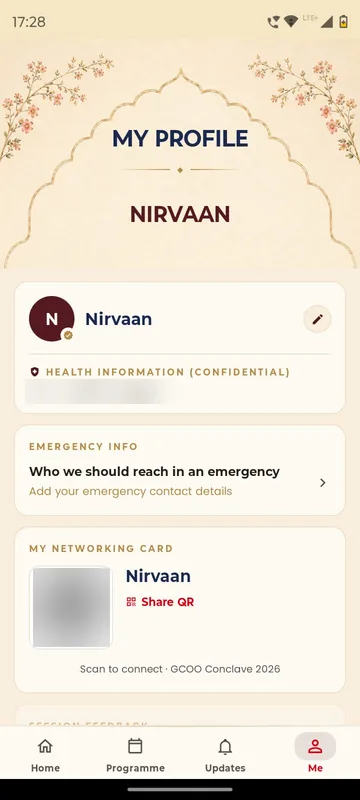
The Me tab holds four things:
- The delegate’s health answer, which they can edit.
- Emergency Info, for “who we should reach in an emergency”.
- My Networking Card, a personal QR code that another delegate can scan, or that can be shared on WhatsApp or by email.
- Session Feedback, which unlocks after each session.
People, Moments, Connect, Live Poll and Gallery make up the social layer. In People, a first message is a request the other person must accept before the chat opens. Delegates can also block someone everywhere or in one place only.
Organiser tools
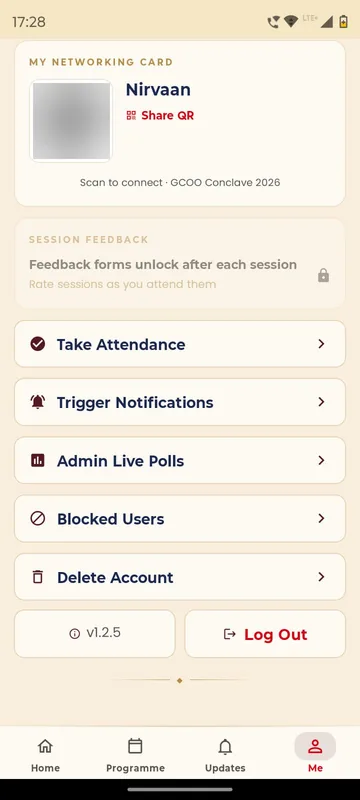
The organising team sees three extra cards on Me:
- Take Attendance, by day, using a scan of the networking card or a lookup by email or phone.
- Trigger Notifications, which can be scheduled ahead and reach delegates in Updates.
- Admin Live Polls, where a poll is created and then switched between Active and Inactive.
How it ran
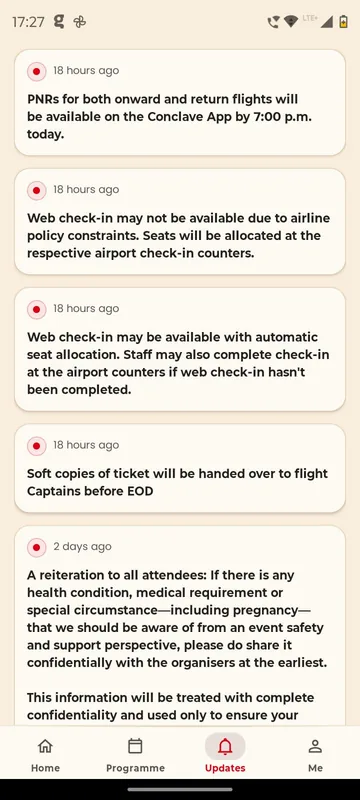
Most of the work happened before anyone reached Jaipur. The hospitality team arranged rooms across both hotels and published each delegate’s stay and journey to the app. Updates told delegates that PNRs for onward and return flights would be in the app by 7 p.m. that day. As the airline’s guidance changed, Updates explained when web check-in would and would not be available, and that soft copies of tickets would go to the flight captains. A separate update reminded everyone to share any health condition or special circumstance confidentially.
Connect turned into the place where delegates flagged problems. One delegate posted a booking reference that was wrong, others shared flight check-in updates, and the client team used it to call everyone onto a briefing call. On site, organisers took attendance on Day 1 and Day 2 by scanning networking cards. The client team kept sending changes until the last moment, and we kept the app in step with them.
Outcomes
The clearest outcome is the client team’s own note, sent on the morning of 11 October. It thanks us for making the experience seamless, and for the flexibility and patience behind “all our last-minute requests”.
What we would do again
- Lead with the delegate’s own arrangements. The agenda can sit one scroll down.
- Publish PNRs in the app, and say when they will land. Delegates stop asking once they know.
- Make health and emergency details confidential, short and impossible to skip.
- Keep one open channel where a delegate can flag a wrong booking. The desk sees it straight away.
What we built
Modules switched on for this app
“Good morning and A big thank you for creating our Conclave app and making the experience so seamless! Really appreciate your support, flexibility and patience in accommodating all our last-minute requests. It's been a pleasure working with you, and looking forward to many more collaborations!”
Client team, GCOO Conclave 2026
Related stories
More events on Sociana
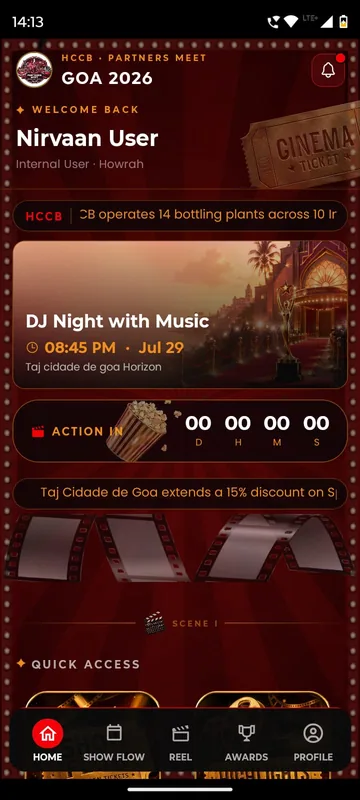
HCCB Partners Meet 2026
Hindustan Coca-Cola Beverages
A two-day partners meet built like a film premiere, with travel per guest, awards, games and partner-only content.
Read the story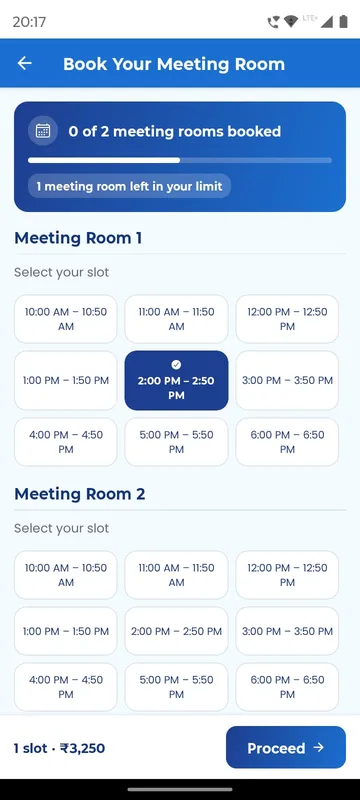
APMI Annual Conference 2026
Association of Portfolio Managers in India · with Pine Tree
Members booked and paid for meeting-room slots inside the conference app, alongside agenda, polls and networking.
Read the story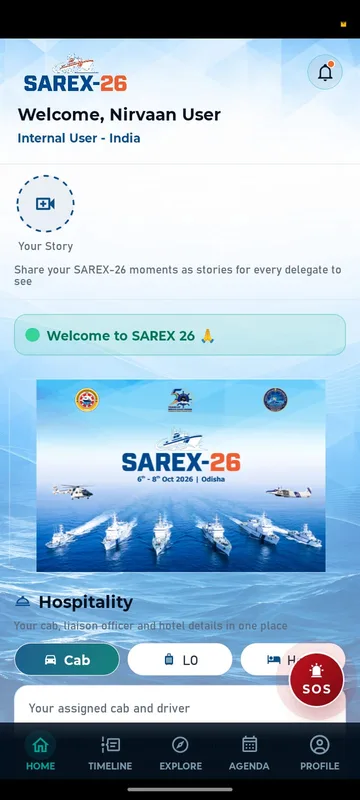
SAREX-26
Indian Coast Guard
Delegates signed in with an ID and PIN and found their hotel, cab, liaison officer and help in one place.
Read the storyPlanning something similar?
Tell us about your executive conclave. We will show you the closest apps we have built and how yours would look.