
Customer story · Partner meet
HCCB Partners Meet 2026: A film-premiere app for partners and employees
Hindustan Coca-Cola Beverages brought its Maharashtra–Goa partners to Goa in July 2026 for a two-day Partners Meet. Sociana built the app as a film premiere: a VIP entry, Home laid out in scenes, a Show Flow agenda, flights and hotel per guest, awards, brand games and live polls, and separate content for partners and HCCB employees.
Client: Hindustan Coca-Cola Beverages
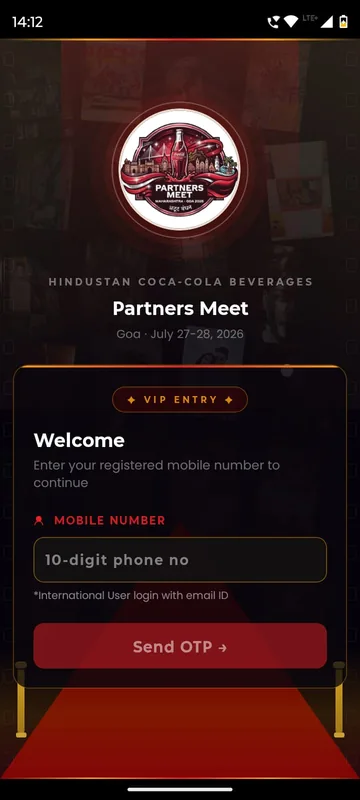
Hindustan Coca-Cola Beverages brought its Maharashtra–Goa partners to Goa for a two-day Partners Meet in July 2026, at the Taj Cidade de Goa Horizon. The meet mixed leadership addresses and an awards night with the kind of hospitality a destination trip needs: flights, rooms, dress codes and a beach-side safety briefing.
What the client needed
A partner meet has two audiences in one hotel. Distributors and retailers are guests to be looked after and recognised; HCCB’s own employees are hosts with a different programme and different information. The app had to serve both, without either group seeing content meant for the other.
The app also had to carry the trip itself. Partners were travelling, so each needed their own flight and hotel details in one place, plus the dress code for every evening and clear safety guidance for Goa. And the meet had a Bollywood theme, so the app was built to feel like a premiere, not a form.
What we built
A VIP entry, and a sign-in for everyone
The app opens on a red carpet with camera flashes and a VIP ENTRY card. Guests type the mobile number the event team registered for them and receive a six-digit code; international guests use their email address instead. First-timers add a name and, if they like, a photo, tap Enter the Meet, and are greeted by name in an animated welcome.
Two groups, one app
Every guest’s number was assigned to Partners or to HCCB employees, and each group received content meant for it. A number not yet assigned saw only Home and Profile, with a message to contact the helpdesk. Notifications could be addressed to one group or both.
Home, told in scenes
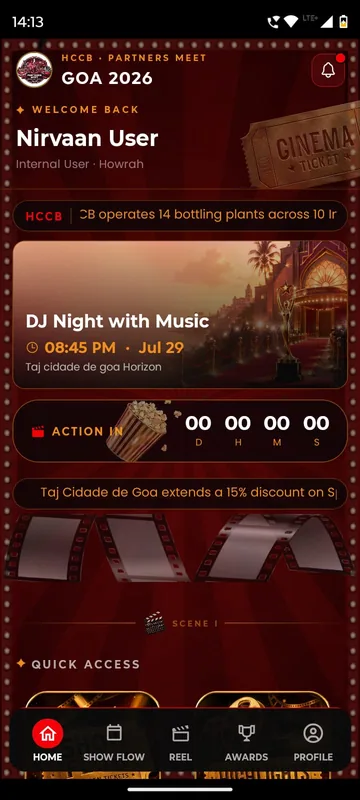
Home reads like a film programme. The header shows the event mark, a bell for notifications, a welcome back and a scrolling HCCB news strip. Below it sit a Now Showing and Up Next card, an Action In countdown in days, hours, minutes and seconds, and a strip with hotel offers for guests. Scene I holds four poster tiles (Show Flow, Highlights, Awards, Games) and a Live Polls card. Scene II previews the schedule, with the live session in gold and the next one in red. Scene III is the Event Guide: the Style Guide and the Do’s and Don’ts.
Show Flow, by acts and scenes
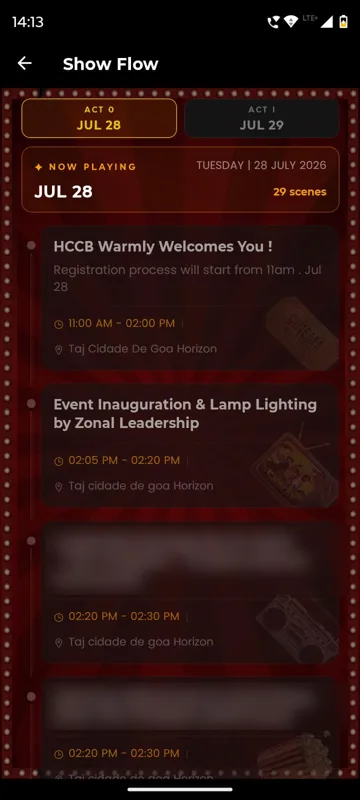
The agenda became Show Flow: day tabs labelled as Acts, sessions as scenes, each with time, title and hall, and Live and Up Next badges that move through the day.
Flights and hotel on each guest’s Profile
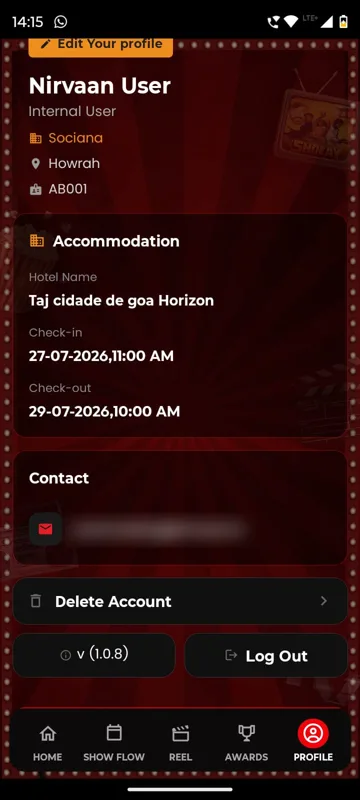
Profile shows the guest’s name, designation, company, city and employee code, then My Flights and Accommodation: the hotel, check-in and check-out as arranged by the event team. Anything not yet confirmed is marked that way, and the guest can tap Update to add or correct details. A contact card shows the phone and email the team holds.
Games and polls built around HCCB’s own brands
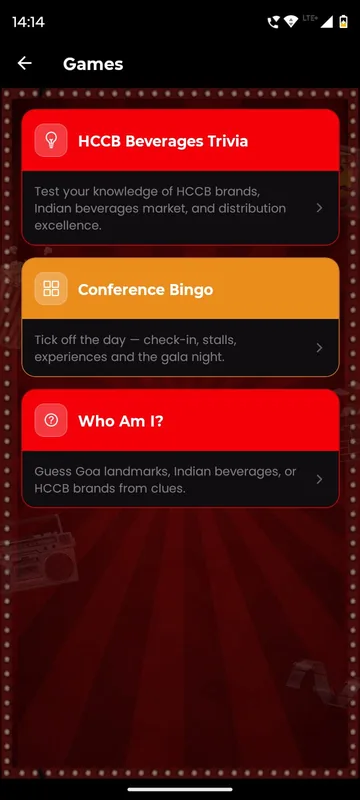
Three games filled the gaps between sessions. Conference Bingo had guests tick off the day: check-in, stalls, experiences and the gala night. HCCB Beverages Trivia tested knowledge of HCCB brands, the beverages market and distribution. Who Am I? gave clues to Goa landmarks, Indian beverages or HCCB brands, with a Reveal Next Clue button. Live Polls asked Bollywood questions with a brand twist, such as which film-style entry, paired with which HCCB drink, suits a celebration by the sea, and showed results as votes arrived.
Awards from nomination to winner
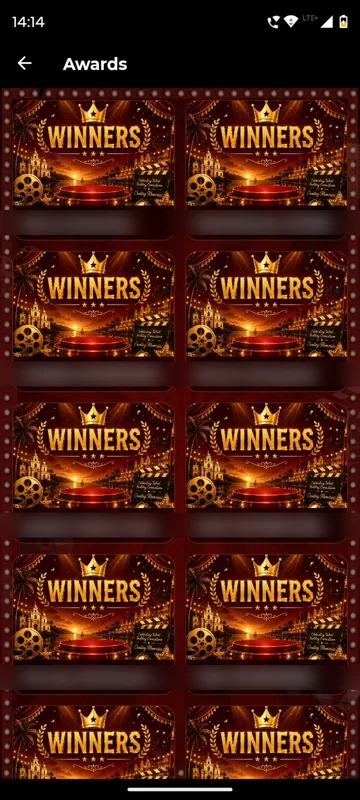
Before the ceremony, the Awards tab listed the nominees for each award with the selection criteria. After it, the tab showed winner cards with photo, name and category, appearing once they were announced on stage.
The practical pages a destination trip needs
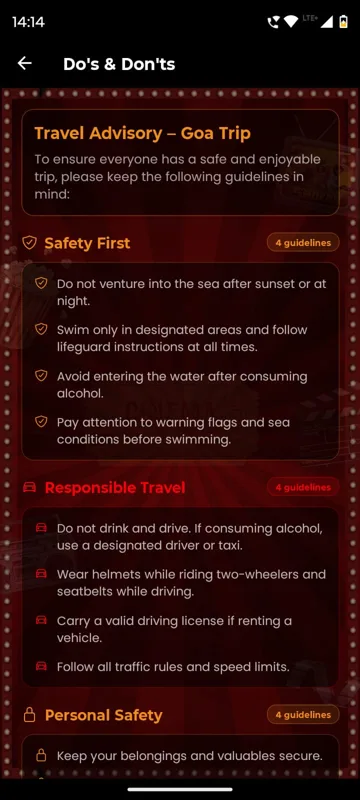
The Style Guide listed the dress code for every event, day by day, with styling tips. Do’s and Don’ts carried a Travel Advisory for the Goa trip: safety first, personal safety, health, respect for local laws and responsible travel, ending with emergency contacts and a declaration. The Venue Map listed the hotel’s zones floor by floor alongside the banquet seating plan, and Emergency gathered the operations control room, the hotel, the police and the nearest hospitals, each one tap away.
How it ran on the day
Organisers worked from their own phones. Managers and Owners saw Attendance and Trigger Notifications on their Profile. Attendance was kept per category, such as a session, a dinner or an activity, with All, Present and Absent counts. Scanning a guest’s QR marked them present and showed the organiser the guest’s details and whether their documents were in; a guest without their code could be added by email or phone. Notifications went out at set times to chosen groups: one asked everyone to arrive by 7:30 PM so the awards ceremony could start on time, another invited guests to share their photos. A plus button on the Reel let the team post up to five images or one video at a time, which guests could like, comment on and share to WhatsApp.
What came out of it
The app delivered a programme that told each guest what was live and what came next, travel details on each guest’s own Profile, award winners named in the app after the ceremony, and a Highlights gallery with Smart Lens, which finds the photos a guest appears in instead of making them scroll albums. Partners and employees used one app and still each saw what was meant for them.
What we would do again
- Assign every guest to a group before launch. One app with two groups is simpler to run, update and support than two separate apps.
- Rename the familiar to fit the theme. Show Flow, acts, scenes and a VIP entry made ordinary screens part of the event.
- Keep travel and stay on the guest’s own Profile, with an easy way to correct it.
- Build games from the client’s own world. Trivia and clues about HCCB brands and Goa gave partners something to talk about.
What we built
Modules switched on for this app
Related stories
More events on Sociana
GCOO Conclave 2026
GCOO Conclave
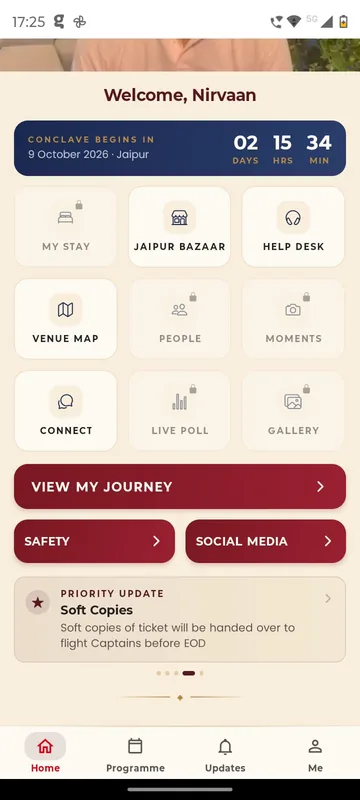
Senior delegates across two Jaipur hotels found their stay, journey and help desk first, before the agenda.
Read the story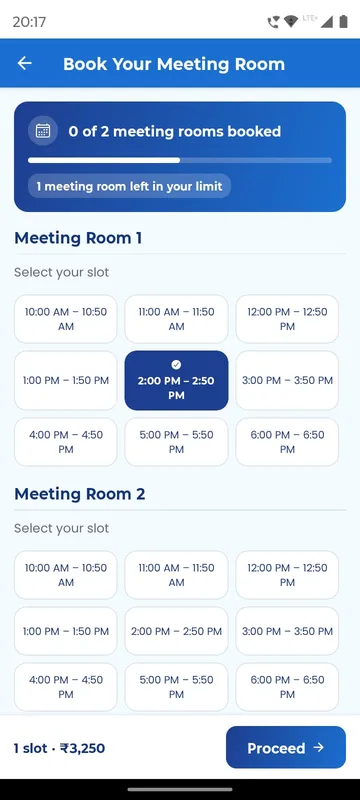
APMI Annual Conference 2026
Association of Portfolio Managers in India · with Pine Tree
Members booked and paid for meeting-room slots inside the conference app, alongside agenda, polls and networking.
Read the story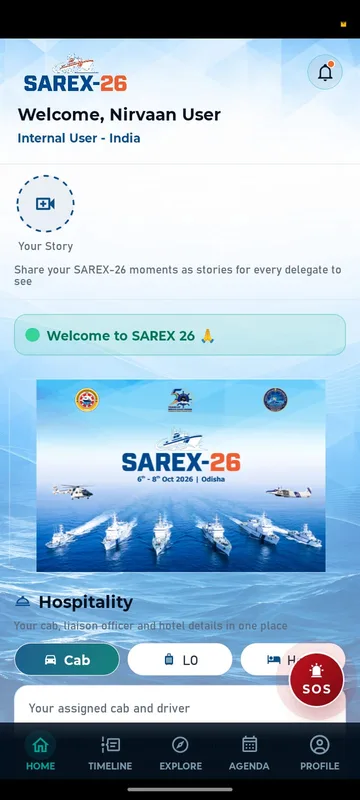
SAREX-26
Indian Coast Guard
Delegates signed in with an ID and PIN and found their hotel, cab, liaison officer and help in one place.
Read the storyPlanning something similar?
Tell us about your partner meet. We will show you the closest apps we have built and how yours would look.