
Customer story · Association conference
APMI 3rd Annual Conference 2026: Paid meeting-room slots inside a conference app
The Association of Portfolio Managers in India held its 3rd Annual Conference on 30 September 2026 at Jio World Convention Centre, Mumbai, delivered by the agency Pine Tree. Its Sociana app let delegates book and pay for private meeting-room slots through Razorpay with GST billing and a per-person cap, beside the agenda, dignitaries, sponsors, live polls, networking and QR attendance.
Client: Association of Portfolio Managers in India · Agency: Pine Tree
votes on a single live poll
The occasion in two lines
The Association of Portfolio Managers in India held its 3rd Annual Conference on Wednesday, 30 September 2026, at Jio World Convention Centre, Lotus Ballroom 2 & 3, BKC, Mumbai, under the theme “The future of India’s PMS landscape.” The event agency Pine Tree delivered the conference, and Sociana built its delegate app.
What the client needed
APMI is the industry body for portfolio managers in India; its About Us page in the app explains that it was incorporated on 31 December 2021 as a Section 8 company. A conference for this audience is as much a day of private meetings as a day of keynotes, so the brief went beyond an agenda app.
- Members only. Only people on the delegate list could get in.
- Paid meeting rooms, sold inside the app. Delegates had to book private rooms by the slot, pay securely and receive a GST-correct invoice, with a cap per person so a few firms could not take every room.
- A programme worthy of the guests. Agenda, dignitaries by category, sponsors by tier and the association’s own story.
- The room in the conversation. Live polls during sessions, a delegate directory with chat, and a feed and gallery.
- Control for the event team. Attendance by QR for sessions and rooms, and scheduled announcements.
What we built
A closed front door
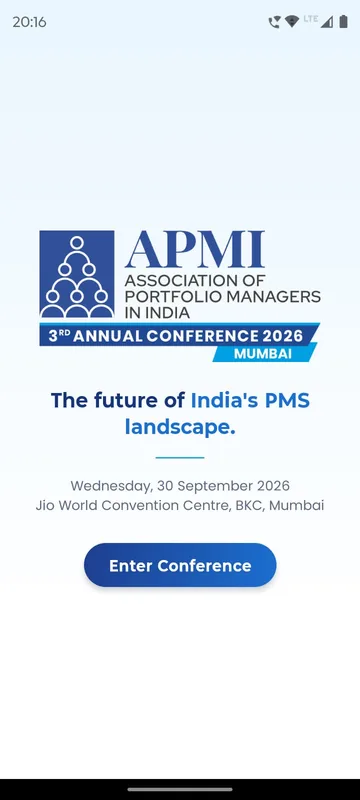
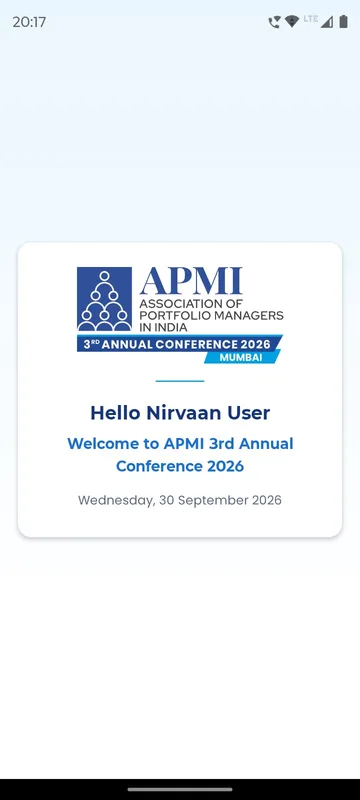
The splash carried the APMI mark and the theme line, with one Enter Conference button. Delegates typed their phone number or email, pressed Send OTP and entered a five-digit code. Anyone not on the delegate list saw Access Not Available. On first arrival, an animated card greeted the delegate by name with the conference date, and a tip pointed to the personal QR in the Profile tab.
Home that leads with the booking
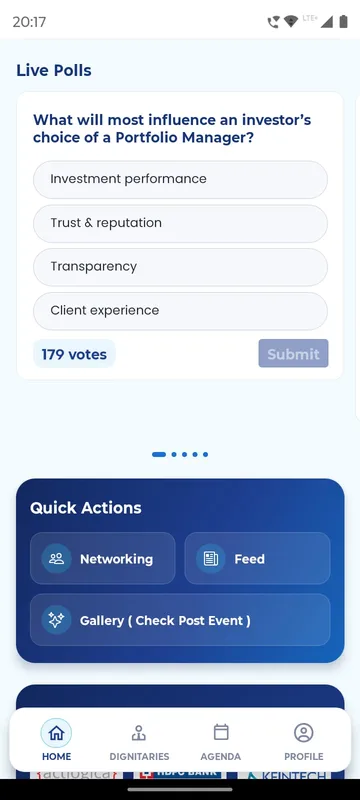
Home stacked the greeting and About Us, an event banner with a Map button, a countdown to 9:00 am, a large Book Your Meeting Room button, Live Polls, Quick Actions for Networking, Feed and Gallery, and the sponsors. The bottom bar held Home, Dignitaries, Agenda and Profile.
Book Your Meeting Room
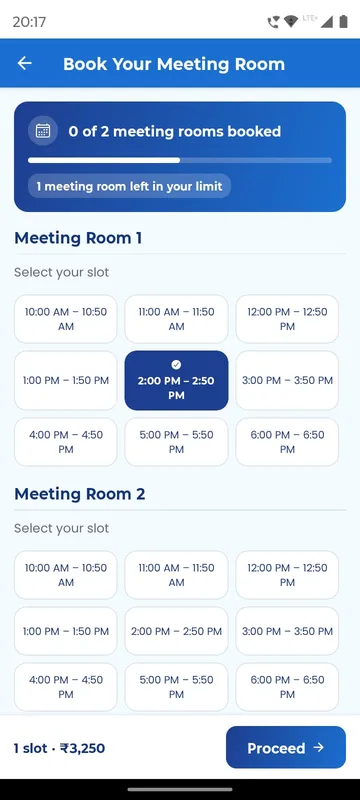
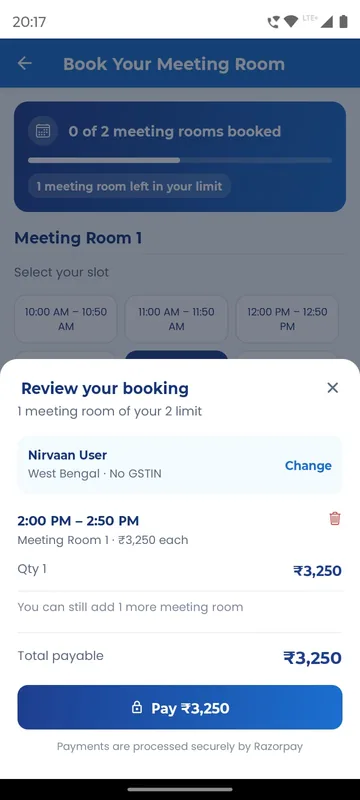
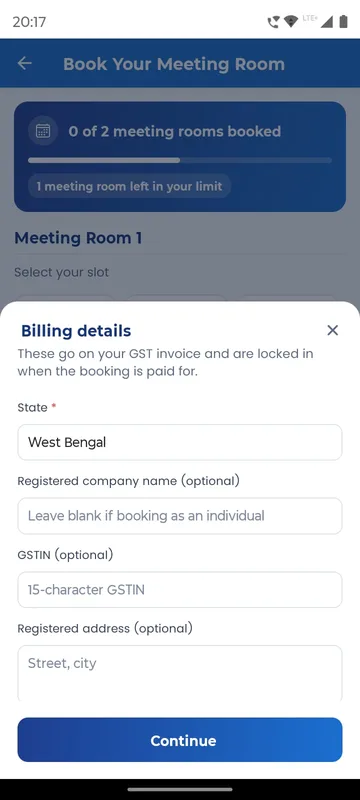
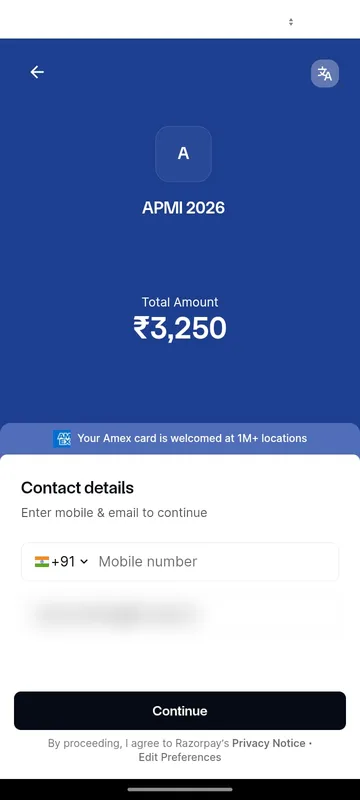
This was the heart of the build. Delegates opened the booking screen, saw how many of their allowed rooms they had used, and picked from a grid of 50-minute slots across the meeting rooms, from 10:00 am to 6:50 pm. Proceed opened Billing details: the State was required because it decides the GST on the invoice, while company name, GSTIN and address were optional for individuals, and the details locked once paid. Review your booking showed each slot, quantity and the total payable, and how many more rooms the delegate could still add. Pay handed over to Razorpay, and the delegate returned to a Booking Confirmed! screen with the details also sent by email. Each delegate had a maximum booking limit; in the configuration shown it was two rooms.
Live polls in the room
During sessions, questions appeared on Home; delegates chose an answer and pressed Submit. One poll asked what will most influence an investor’s choice of a portfolio manager: investment performance, trust and reputation, transparency or client experience.
Programme, dignitaries and sponsors
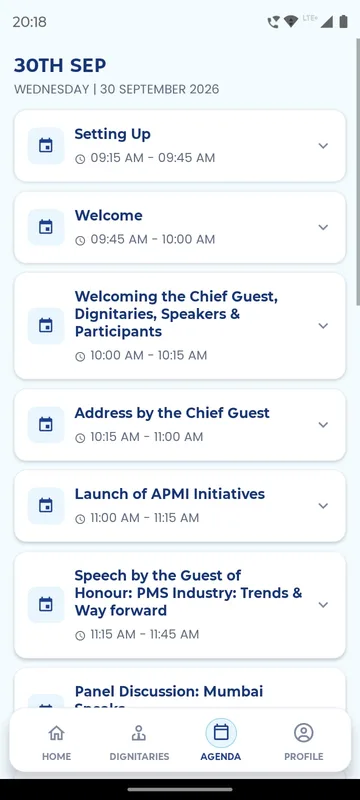
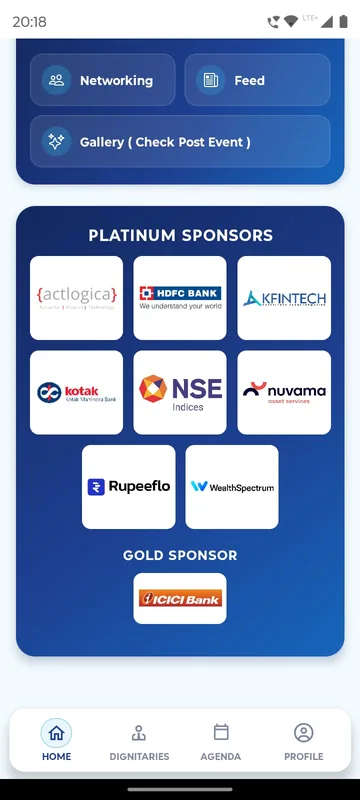
The Agenda ran session by session through the day: setting up, the welcome, welcoming the Chief Guest and dignitaries, the Chief Guest’s address, the launch of APMI initiatives, the Guest of Honour’s speech on PMS industry trends and a panel discussion. Dignitaries showed photos, names and designations under category headings, with the Chairman of SEBI profiled as Chief Guest. Sponsors appeared by tier: platinum logos from Actlogica, HDFC Bank, KFintech, Kotak, NSE Indices, Nuvama, Rupeeflo and WealthSpectrum, and ICICI Bank as gold sponsor. About Us told the association’s story and introduced its office bearers.
Networking that respects people
Networking had two tabs, All Guests with search and My Chats. A first message arrived as a chat request that the other delegate could accept or reject, and Block this user stopped unwanted messages. Profile kept a Blocked Users list in two groups: blocked everywhere, or limited to posts, comments, discussion, group messages or messages. The Feed took posts with photos or a video and hashtags, with likes, comments, sharing and saving.
Attendance and announcements for the event team
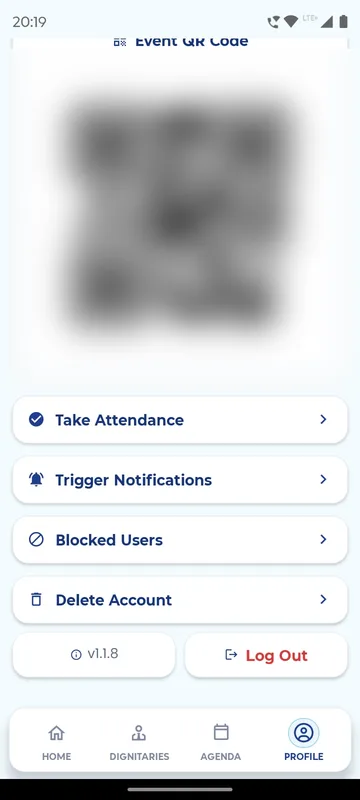
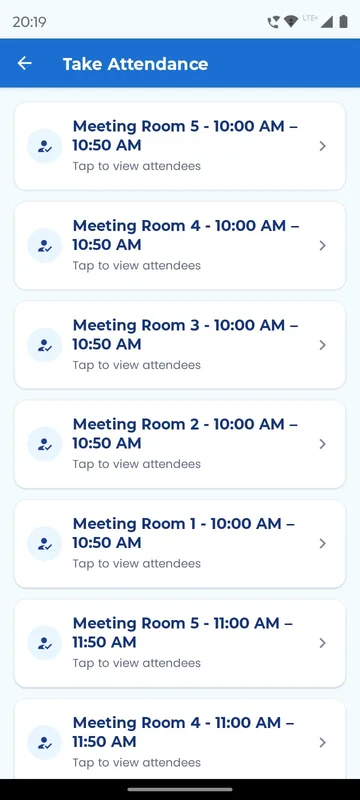
Event managers saw two extra buttons on Profile. Take Attendance listed every session, and here every meeting-room slot too, so the team could open a room’s list, filter All, Present and Absent, and scan a delegate’s Event QR to see “Attendance marked successfully!” with name, company and designation, or add someone by email or phone. Trigger Notifications scheduled announcements to everyone or to selected groups, with edit and delete while upcoming.
How it ran
The app was on the App Store from late August, a month before the conference. The delegate list acted as the gate, so only members and invitees could sign in. Rooms, slots, the per-person cap and the GST rules were set in the Sociana admin panel before booking opened, and the guide told delegates to go to the help desk if a payment ever went through without a confirmation. On the day, the event team scanned Event QRs at sessions and rooms, opened polls as sessions began and sent announcements from their phones.
What came out of it
The live poll shown above had 179 votes. The conference ran on its date with meeting-room booking, payment and invoicing live inside the same app delegates used for the programme, and the agency’s feedback after the event follows.
What the agency said
“Praveen Bhai, a big thank you to you and your entire team for doing such a great job and helping make the event a success. I really appreciate the support you and your team gave me throughout the event. Everyone’s efforts, coordination and dedication truly made a difference. Thank you once again to each and every one of you for pulling it off so smoothly. I really appreciate it!”
— Apoorv, Pine Tree (event agency for APMI)
“Splendid job. The event ran very smoothly. A big thanks and gratitude to everyone in the team”
— Subhashish, Pine Tree (event agency for APMI)
What we would do again
- Sell scarce resources inside the event app. Delegates booked rooms where they already were, and the invoice details were right first time.
- Cap bookings per person. A visible limit kept rooms fair across member firms.
- Use the delegate list as the gate. A members’ conference stays a members’ conference.
- Turn each room slot into an attendance list. The team could see not just who booked but who came.
What we built
Modules switched on for this app
Related stories
More events on Sociana
HCCB Partners Meet 2026
Hindustan Coca-Cola Beverages
A two-day partners meet built like a film premiere, with travel per guest, awards, games and partner-only content.
Read the story
GCOO Conclave 2026
GCOO Conclave
Senior delegates across two Jaipur hotels found their stay, journey and help desk first, before the agenda.
Read the story
SAREX-26
Indian Coast Guard
Delegates signed in with an ID and PIN and found their hotel, cab, liaison officer and help in one place.
Read the storyPlanning something similar?
Tell us about your association conference. We will show you the closest apps we have built and how yours would look.