
Speakers & dignitaries
The people on stage, a tap away.
Publish speakers, dignitaries, artists and committee members as profiles with photo, role, company and biography, grouped under headings you choose. The APMI conference grouped its dignitaries by category; the Bengaluru Wedding Fraternity Meet Up gave Speakers, Artists and Committee their own tiles. Growth Code kept a speaker blurred with “Identity reveals live on stage”.
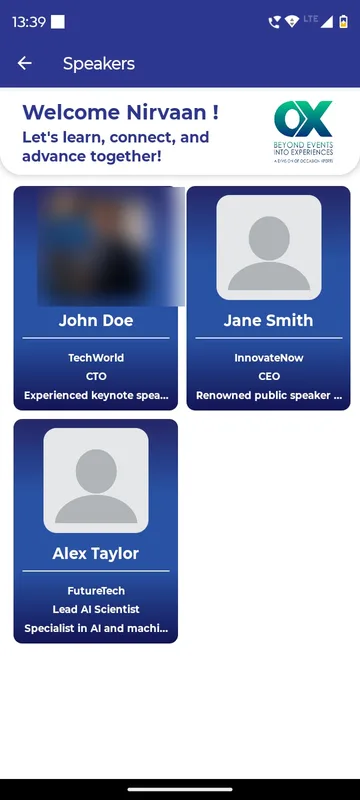
Context before the talk
Guests know who is speaking and why it matters.
Protocol, respected
Chief guest, chairman and directors appear under the headings you choose.
A reveal moment
Hold a profile blurred until the speaker walks on.
How it works
How it works
Send the profiles
Photo, name, role, company and a short biography.
Group them
Speakers, dignitaries, committee, past presidents or artists.
Publish or hold
Release profiles when you are ready, or reveal one on stage.
Fits these occasions
Where it earns its place
Works with
Pairs well with
Included in
Launch
Your own branded app, fast.
FAQ
Common questions
Can we change a profile on the day?
Yes. Profiles are pages edited in the panel and update on the next refresh.
Can guests message speakers?
Profiles are text and photo. Contact details show only if the speaker has agreed to share them.
Can we hide a speaker until the session?
Yes. A profile can stay blurred or unpublished until your team reveals it.
Are profiles linked to sessions?
Profiles are content pages. The session list lives in the agenda, where you can name the speaker.
Send us your line-up.
We will show your speakers and dignitaries grouped the way your protocol expects.