
Agenda & Show Flow
The schedule everyone checks, in words that sound like your event.
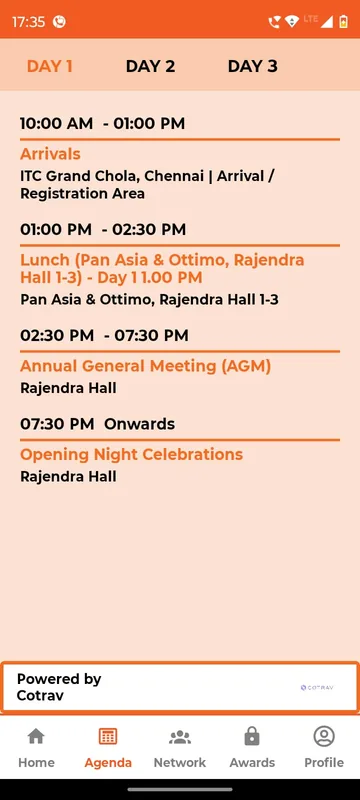
Publish the programme as day tabs with times, venues and notes, or as posters and PDFs when that is how your team already designs it. Call it Show Flow, Programme or Itinerary. The running session and the next one can sit right on the home screen.
Fewer “where next?” calls
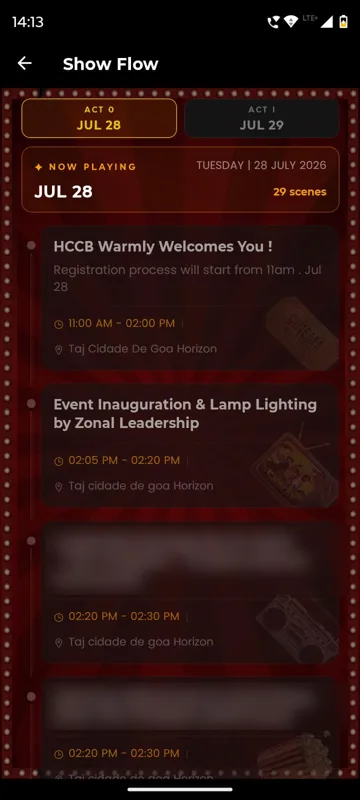
Day tabs show every session with time and venue, so guests find their next room themselves.
Now and next, up front
Live and Up Next badges put the running session on Home, as HCCB Partners Meet 2026 did in its Show Flow.
Change it at 7 am
Edit a session in the panel and it shows on the next refresh, with no new app release.
How it works
How it works
Send us the running order
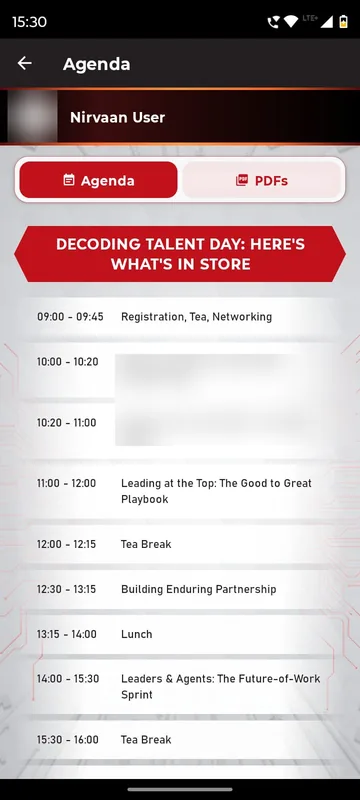
A sheet, a document or the designed poster. We load it as sessions, images or PDFs.
Name it your way
Agenda, Show Flow, Programme, JSAgenda or Itinerary, with day tabs that match your days.
Guests follow along
Sessions carry time, venue and notes such as dress code; the current one is marked as it runs.
Fits these occasions
Where it earns its place
Works with
Pairs well with
Included in
Launch
Your own branded app, fast.
FAQ
Common questions
Can the agenda be a designed poster instead of a list?
Yes. Several events published their programme as images or PDFs that guests pinch to zoom, alongside or instead of a structured list.
Can different groups see different schedules?
Sections and tiles can be scoped to groups, so partners and employees, or the bride’s and groom’s sides, can each see what applies to them.
Can guests bookmark sessions?
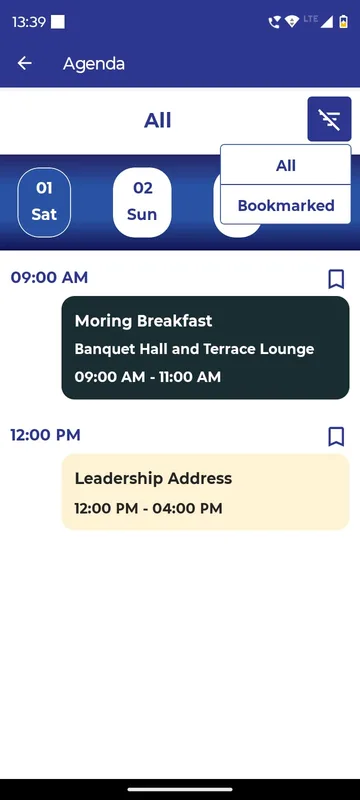
Some apps show an All and Bookmarked filter on the agenda. If personal bookmarking matters for your event, tell us and we will confirm it for your setup before launch.
Is this a personal track planner?
No. It is the schedule everyone reads, with day tabs and session notes. Per-person track building is not part of this feature.
Send us your running order.
We will show you how your days, sessions and venues look in your own app, named the way your team talks.