
Scheduled announcements
Steer the day without a WhatsApp group.
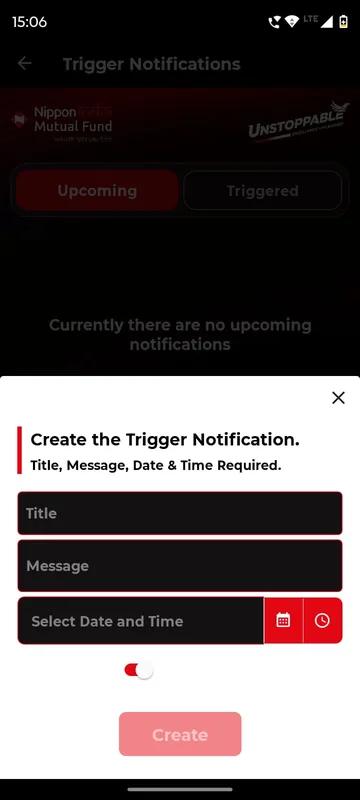
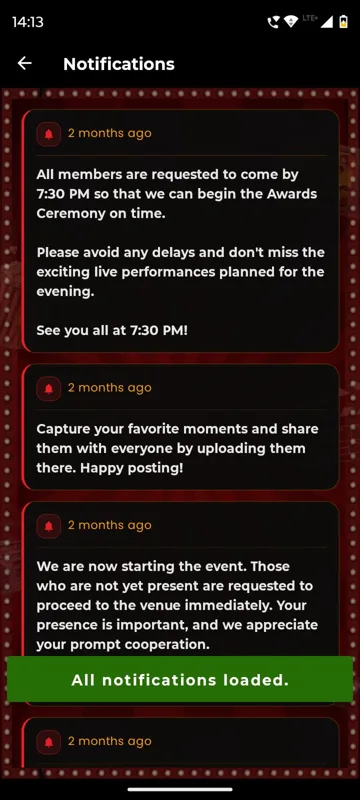
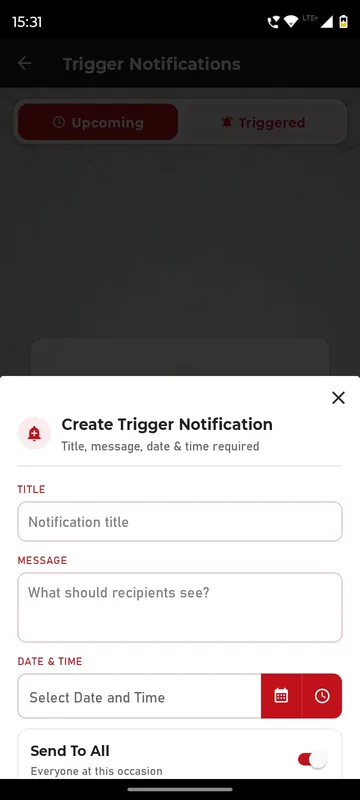
Owners and Managers open Trigger Notifications on their phone, write a title and message, pick a date and time and choose Send To All or Select Group. Each one arrives as a push and stays in the app’s updates list. GCOO Conclave 2026 used it for PNR (airline booking reference) and web check-in updates; HCCB Partners Meet 2026 for reminders before the awards.
Written once, sent on time
Schedule the bus call and the dress-code reminder days ahead.
Only the people it is for
Pick groups, so the bride’s side or one zone gets its own notice.
Missed the buzz? Still there
Every push is stored in the updates list to read later.
How it works
How it works
Write it
Title, message and what recipients should see.
Schedule it
Pick the date and time; it waits under Upcoming, editable until it sends.
It goes out
Push and in-app at the set time, to everyone or the selected groups.
WhatsApp to the app
A message they read, a tap that lands in the right place.
Admin panel
Pick template and groups
Approved templates only, sent from your own provider account.
WhatsApp
Guest gets the message
Invitation, reminder or QR invite, where they already read.
Guest app
One tap in
The link opens the app, their QR or the right page.
Admin panel
Status comes back
Sent, delivered and read, as reported by the provider.
Fits these occasions
Where it earns its place
Works with
Pairs well with
Included in
Event & Hospitality
Everything your guests need, and nothing your team has to chase.
FAQ
Common questions
Can we change a notice after scheduling it?
Yes. Upcoming notices can be edited or deleted until they send.
Whose name do notifications arrive under?
Your app’s name, because each branded app has its own push key.
What if someone has notifications off?
The message still appears in the app’s updates or bell list, newest first.
Can we send to WhatsApp as well?
WhatsApp campaigns are a separate channel through your provider account. See the WhatsApp page.
Plan your event’s announcements.
Share your run-of-show. We will show which notices to schedule and for whom.