
Admin panel & roles
Your team runs the event. The guests never see the controls.
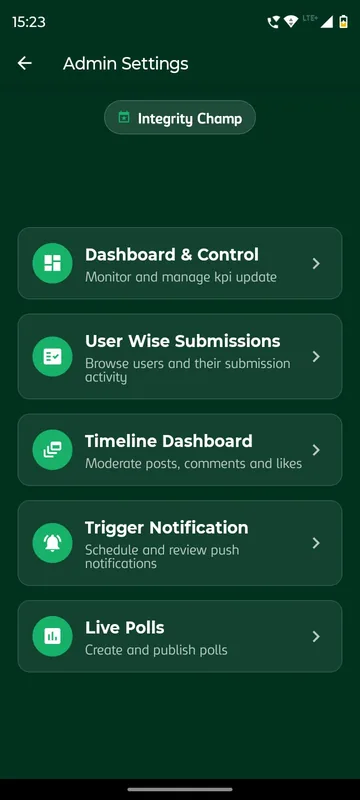
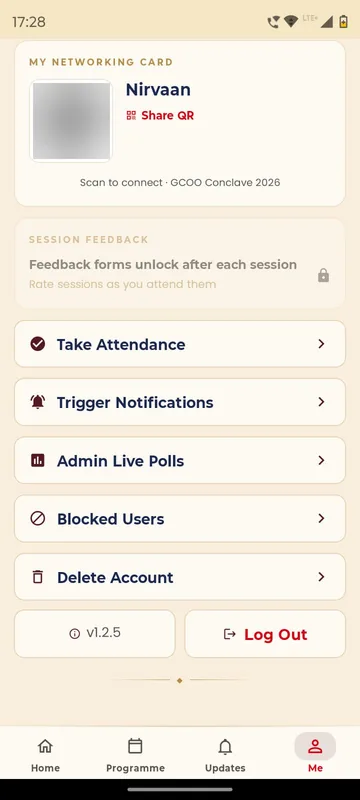
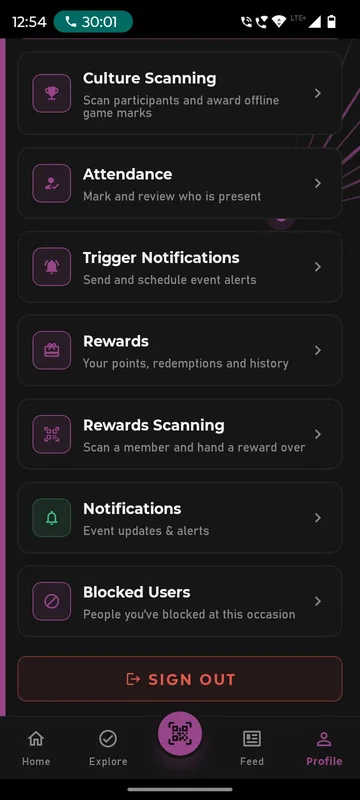
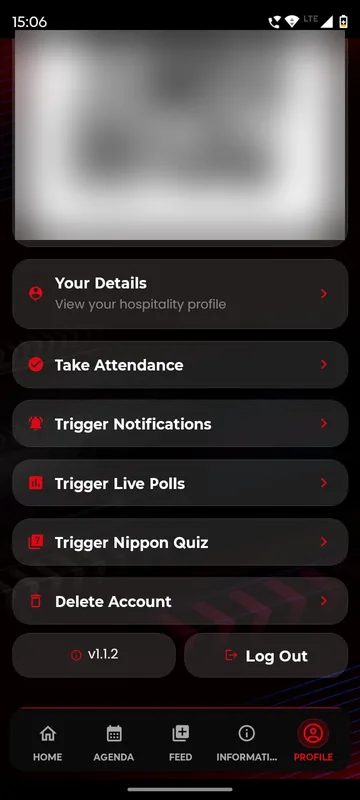
A web admin panel decides what is on, how it behaves and how it looks for each occasion. Inside the same app, Owners and Managers get extra buttons on their profile to take attendance, send notices and run polls from the floor, while guests see only what you have opened for them.
One switch per module
Turn polls, games, networking or hospitality on or off for this occasion without a new app release.
Tools for the right people
Owners and Managers see attendance, notices and polls on their phone. Guests never do.
Open sections on cue
A section stays visible with a padlock until your team opens it, so nothing appears too early.
How it works
Set it up once, run it from your phone.
Choose what is on
In the panel, pick the modules this occasion uses and mark the rest as not included.
Set how it behaves
Add the rules: time windows, which groups see what, limits and points.
Name your Owners and Managers
Give your organising team their roles. Their extra buttons appear on Profile or Me.
Run the day from the floor
Managers scan attendance, schedule notices and open polls from the app, while the panel keeps the full setup.
Fits these occasions
Where it earns its place
Works with
Pairs well with
Included in every package, from
Launch
Your own branded app, fast.
FAQ
Common questions
What can a Manager do that a guest cannot?
Depending on the role you give them, a Manager can take attendance, trigger notifications, create live polls and quiz questions, reply to support requests and upload reels. Those buttons appear only on their own profile.
Why do guests see a tile with a padlock?
The organisers have not opened that section yet. It unlocks when your team switches it on, for example the gallery after the gala night.
Can we reuse a setup for the next event?
Yes. Features, rules and look are set per occasion, and organisation-level templates let your team start the next occasion from the last one.
Do you support single sign-on?
No. Guests sign in by OTP, employee code, delegate PIN or an allowed company email domain. SAML single sign-on and SCIM provisioning are not part of the platform.
See the admin side of a real event.
We will walk you through the panel and the Manager tools on a phone, set up for an occasion like yours.