
Customer story · Government workshop
SAREX-26: The Indian Coast Guard's delegate app for the national maritime SAR workshop
SAREX-26 was the delegate app for the Indian Coast Guard's 12th National Maritime Search and Rescue Workshop & Exercise and 24th NMSAR Board Meeting, held in Bhubaneswar on 6–8 October 2026. Delegates signed in with an issued ID and PIN, found their cab, liaison officer, hotel and meals on their own screens, reached help through a one-tap SOS, and kept the phrasebook and protocol guide readable without a signal.
Client: Indian Coast Guard
The occasion
The Indian Coast Guard hosted the 12th National Maritime Search and Rescue (NMSAR) Workshop & Exercise and the 24th NMSAR Board Meeting at the Mayfair Convention Centre, Bhubaneswar, from 6 to 8 October 2026. SAREX-26 was the app every delegate carried through those three days.
What the Coast Guard needed
A government workshop is not a marketing event. Attendance is by invitation, protocol matters, and delegates arrive with a lot of logistics in someone else’s hands. The app had to:
- Let in only invited delegates, using credentials the organising team issued. A personal mobile number or email was not required as the login ID.
- Show each delegate their own arrangements: their cab and driver, their liaison officer, their hotel and their meals.
- Put help one tap away, for anything from a room problem to an emergency.
- Keep the essentials readable on a weak signal, from the protocol guide to the phrasebook and the agenda.
- Give people something to do between sessions: stories, chat, games and a guide to the city.
- Stay under the organisers’ control, with each section opened only when they were ready.
What we built
Sign-in with a Delegate ID and PIN
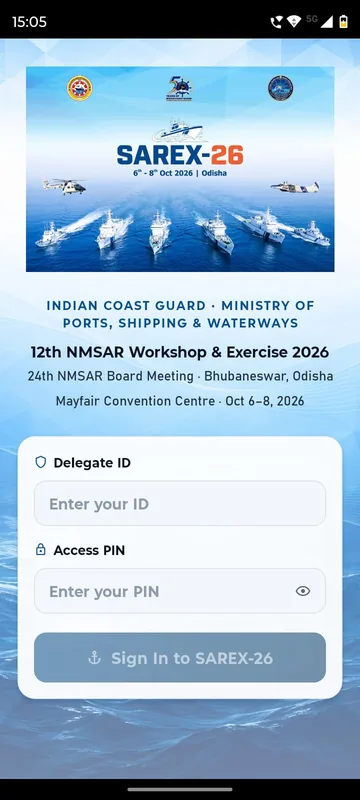
Delegates typed the ID printed on their badge or sent to them, then a PIN of up to six digits, ticked the terms of use and community guidelines, and tapped Sign In to SAREX-26. The button stays grey until both boxes are filled. Where the event used one-time codes instead, delegates could sign in by email or mobile OTP. Anyone without an ID could fill in Request access and wait while the team reviewed it. A forgotten PIN went to the help desk or the delegate’s liaison officer.
A Home screen built around the delegate
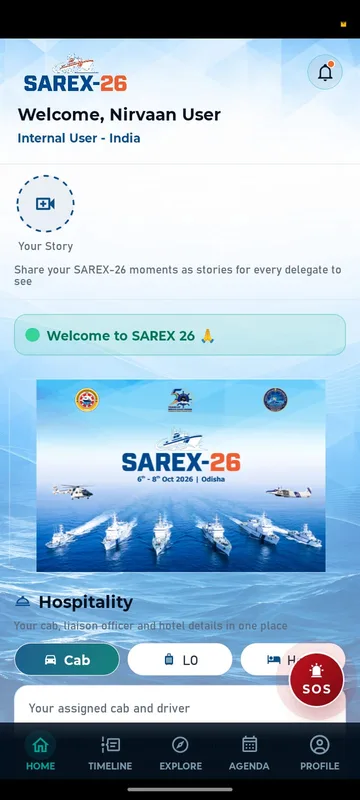
Home greets each delegate by name. Below sit Your Story, a NOW LIVE strip that rotates pinned announcements, and a welcome banner. Then comes the Hospitality card with three tabs. Cab shows the vehicle, driver and contact, Liaison Officer the name and number of the officer looking after you, and Hotel your hotel and room. The hospitality team fills these in, and any number can be tapped to call or copied. A countdown ran until the opening and then disappeared.
Help in one tap
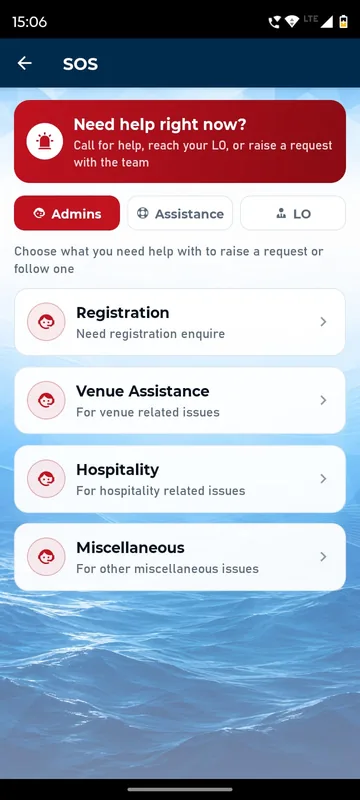
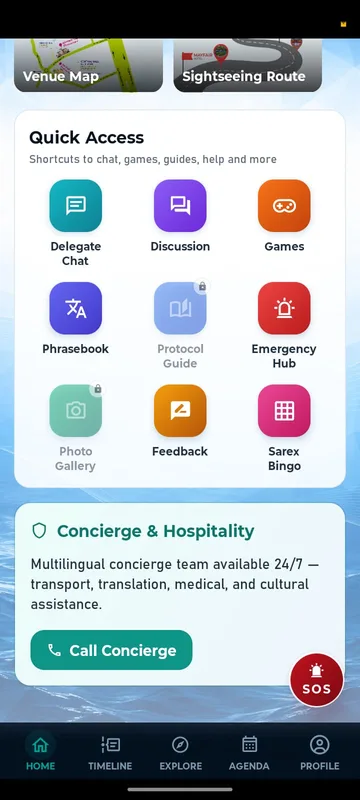
A red, pulsing SOS button sits on Home. Its Admins tab raises a ticket by type (joining formalities, venue, hospitality, anything else) that the organising team answers and resolves. Assistance lists contacts with call, WhatsApp and email buttons, and LO rings the delegate’s own liaison officer. Below Quick Access, a Concierge card offers a 24/7 multilingual desk for transport, translation, medical and cultural help, and Emergency Hub lists helplines by type.
Reading that survives a weak signal
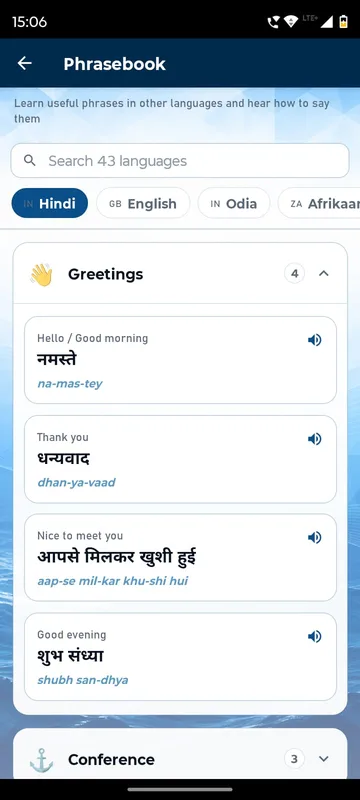
The Phrasebook covers 43 languages, organised by category, with native script, a pronunciation line and an audio button. It works fully offline. The Protocol Guide is a PDF saved to the phone the first time it is opened. Most other screens keep showing what they last loaded, including Home, Agenda, Explore and the Hospitality tabs. Phone calls and email buttons need no data. The guide was candid about the rest: signing in, posting, chat, feedback and tickets need a connection. Its tip was to open the app once on Wi-Fi before travelling.
Agenda and meals
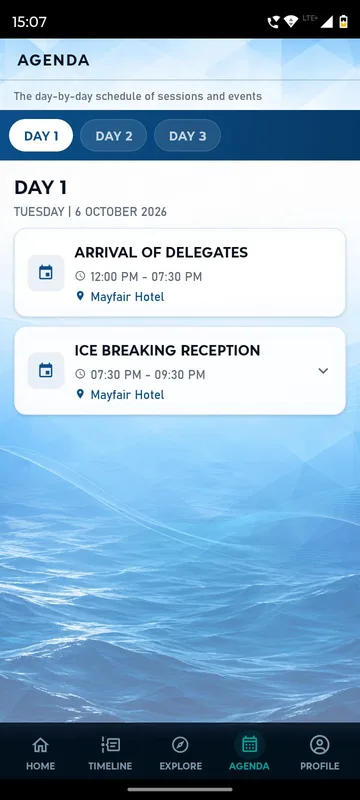
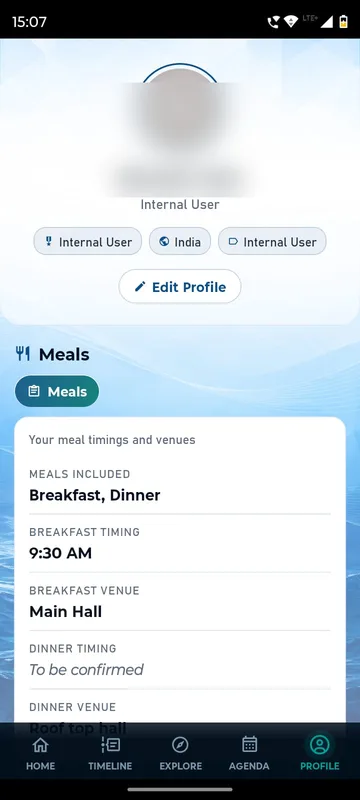
The Agenda has a tab for each of the three days. Each card shows the time and venue and expands for the description and dress code. Meals sits on each delegate’s profile: what is included, breakfast time and venue, and the dinner venue.
Bhubaneswar, on and off the programme
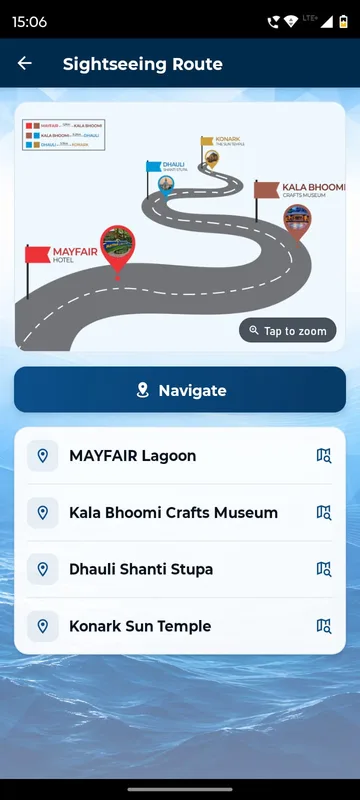
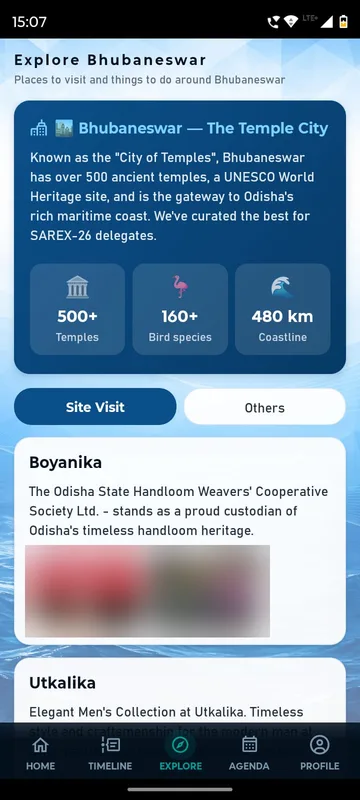
Venue Highlights opens a venue map and an illustrated sightseeing route, and Navigate hands off to the phone’s maps. The Explore tab introduces Bhubaneswar, the Temple City, with category tabs and place cards showing rating, distance and travel time.
Games and Sarex Bingo
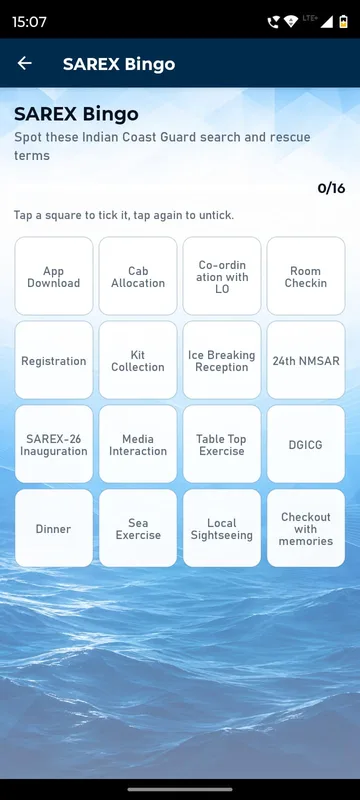
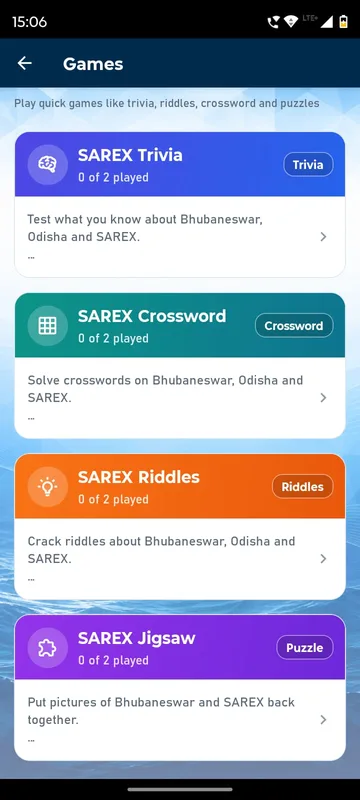
Sarex Bingo turns the workshop itself into the card. Its sixteen squares run from app download, cab allocation and kit collection through the table-top exercise and sea exercise to checkout. Delegates tick each one as it happens. Games adds a trivia quiz, crossword, riddles and a jigsaw, all written around Bhubaneswar, Odisha and SAREX.
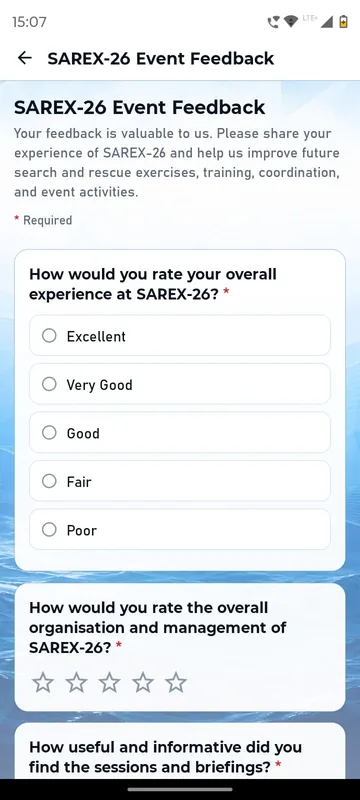
Delegate Chat lets delegates find each other and chat one to one, with accept, reject and block. Discussion is one open room for everyone. The Timeline carries photos and posts, and a Feedback tile holds the event forms.
How it ran
Delegates got a one-page download sheet with a QR for Android and iPhone and a three-word instruction: scan, download, sign in. The organising team issued the IDs and PINs and loaded each delegate’s cab, liaison officer, hotel and meal details. We wrote two user guides: a full edition and a shorter one for delegates. Sections opened as the event drew near, and padlocked tiles told delegates a feature was not open yet. During the three days, the organisers scheduled notifications to everyone or to chosen groups and answered SOS tickets from the Admins queue. They could post to the Timeline and stories even when delegate posting was off. Official photos went to a separate gallery service, opened from the Photo Gallery tile.
Outcomes
The app was live before the opening, with the welcome notification sent and the first Timeline post already up. Each delegate had in their pocket three days of agenda, nine Quick Access tools, a 43-language phrasebook and a 16-square Bingo built from the workshop’s own moments.
What we would do again
- Issued credentials for invitation-only events, plus a request form for the person missing from the list.
- Each delegate’s own arrangements on their own screen. The help desk then handles exceptions, not routine questions.
- Say plainly what works offline. The guide listed both sides, so nobody was promised more than the app could do.
- Build the icebreaker from the event’s logistics. Squares like “cab allocation” and “kit collection” turn the arrival checklist into a game.
- Open sections when they are ready, not all on day one.
What we built
Modules switched on for this app
Related stories
More events on Sociana
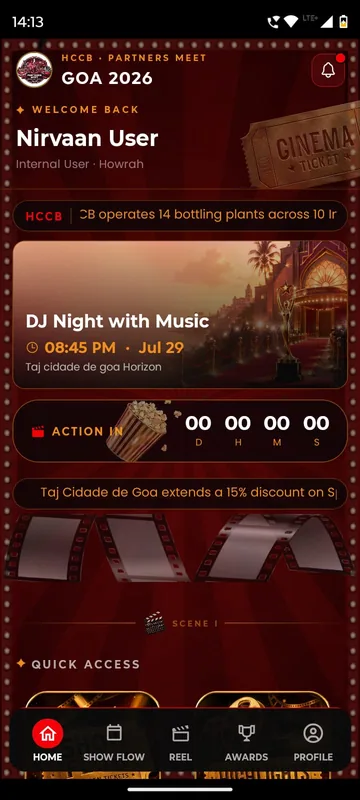
HCCB Partners Meet 2026
Hindustan Coca-Cola Beverages
A two-day partners meet built like a film premiere, with travel per guest, awards, games and partner-only content.
Read the story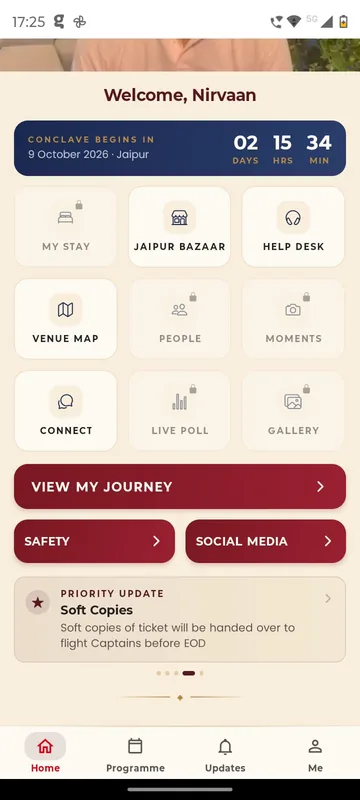
GCOO Conclave 2026
GCOO Conclave
Senior delegates across two Jaipur hotels found their stay, journey and help desk first, before the agenda.
Read the story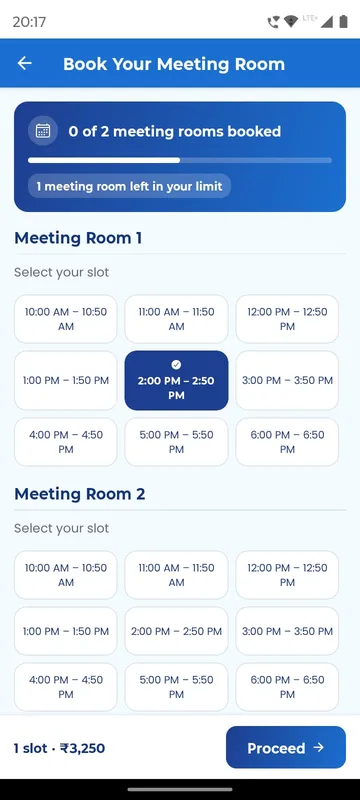
APMI Annual Conference 2026
Association of Portfolio Managers in India · with Pine Tree
Members booked and paid for meeting-room slots inside the conference app, alongside agenda, polls and networking.
Read the storyPlanning something similar?
Tell us about your government workshop. We will show you the closest apps we have built and how yours would look.