
Exhibitor My Stall
Consented leads per stall, instead of a fishbowl of cards.
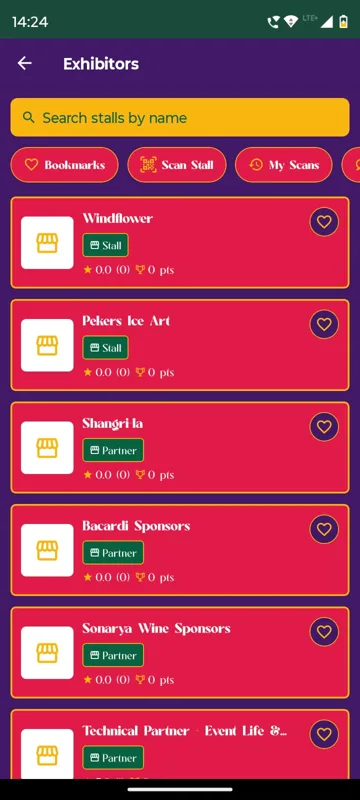
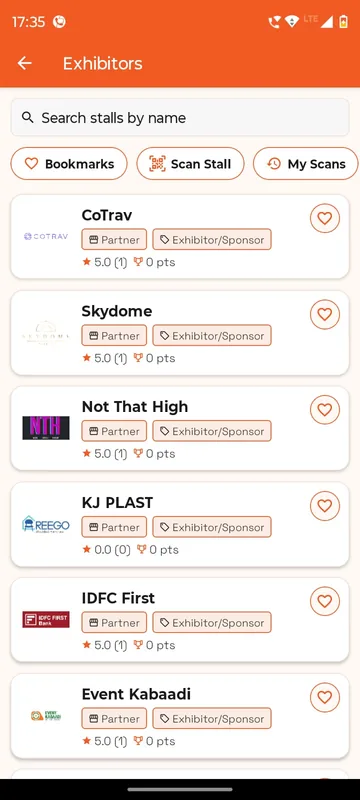
Visitors browse stalls, bookmark them, scan a stall’s QR to record a visit and leave a review. Exhibitor staff open My Stall to scan a visitor’s QR, add a note and see stall scans, unique visitors and leads in one place. The Bengaluru Wedding Fraternity Meet Up and EEMA Connect both ran it.
Leads with context
Every scan can carry a note, so follow-up starts with what was discussed.
Numbers per stall
Scans, unique visitors and leads, live on the exhibitor’s own phone.
The whole stall team
A stall lead adds colleagues by email or mobile and makes one a manager.
How it works
How it works
Set up the stalls
Name, logo, banner, description, links and documents, editable by the exhibitor.
Scan visitors
Staff scan the visitor’s Profile QR and add a note; the visitor can also scan the stall.
Follow up
The scan log and leads export to a sheet, or flow to your CRM through a webhook.
Fits these occasions
Where it earns its place
Works with
Pairs well with
Included in
Participation & Rewards
Make people play, score and come back.
FAQ
Common questions
Who sees My Stall?
Only people assigned to a stall. Visitors see the exhibitor list, stall pages and their own scan history.
Does it sync with Salesforce or HubSpot?
Not natively. Leads, notes and the scan log export to Sheets, or go to your CRM through webhooks.
Is there lead scoring or a floor plan?
No. There is no lead scoring or interactive floor plan. Venue maps are published as pages.
Can visitors earn points for stall visits?
Yes. Stall scans can award points on the unified leaderboard, which gives visitors a reason to walk the floor.
Plan the exhibition floor in the app.
Tell us how many stalls and who staffs them. We will show My Stall and the visitor side in a demo.