
Employee code login
People know their employee ID better than any new password.
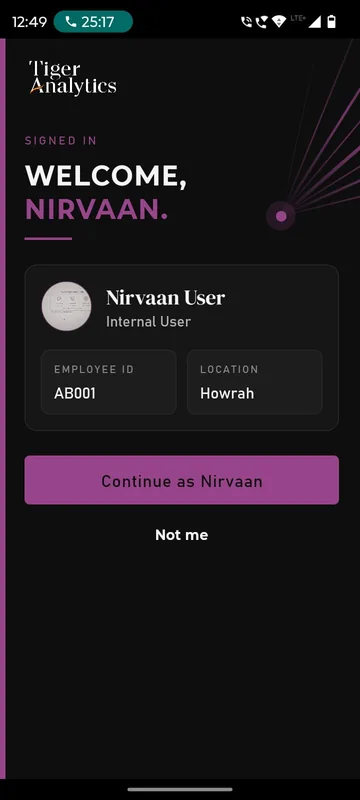
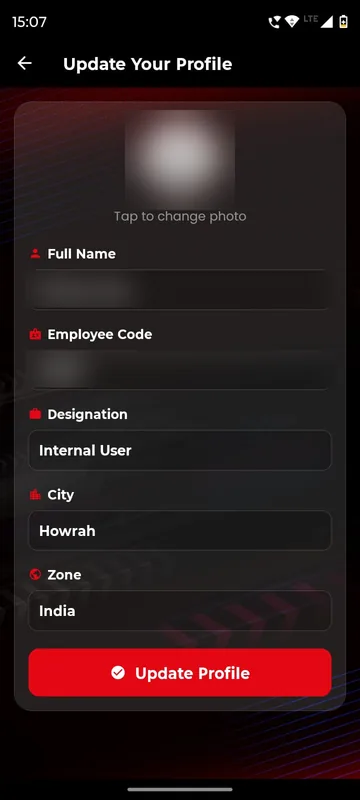
The app opens the sign-in your programme uses: employee ID and password, or a company email with a one-time code. Tiger15 then showed a Confirm it’s you card with name, employee ID and location, with Continue or Not me. Employee code, city and zone can also be collected as profile fields, as Unstoppable NAMI 2026 did, to drive groups and reports.
Nothing new to remember
The ID people already use at work is the key to the app.
Only your domain gets in
Allowed company email domains keep personal addresses out.
Reports by city or zone
Codes and profile fields let you cut attendance and activity the way HR does.
How it works
How it works
Import from HR data
We load employee codes and provision credentials, or list your allowed email domains.
Employee signs in
Employee ID and a case-sensitive password, or company email and a code, whichever the app is set to.
Confirm it’s you
The matched profile appears; the employee continues or taps Not me.
Fits these occasions
Where it earns its place
Works with
Pairs well with
Included in
Event & Hospitality
Everything your guests need, and nothing your team has to chase.
FAQ
Common questions
Is this single sign-on with our directory?
No. Passwords are Sociana credentials provisioned from your HR data. SAML single sign-on and SCIM are not part of the platform.
Do employees choose between methods?
No. The app opens the method set for the occasion, so nobody has to pick.
What if the wrong profile appears?
The employee taps Not me and goes back. Corrections are made by your team in the source data.
Can we restrict email sign-in to our company?
Yes. Only addresses on the domains you list can request a code.
Bring your employee list.
Tell us how your people identify themselves today. We will show the sign-in and how codes feed your reports.