Partner meet · Goa · Jul 2026
HCCB Partners Meet 2026
A two-day partners meet built like a film premiere, with travel per guest, awards, games and partner-only content.
Read the story
Agenda & information
Day-wise agenda with what is on now and next, speakers, sponsors, venue maps, dress code, FAQs and documents, under the names you choose. Fix anything in minutes and it updates on every phone.
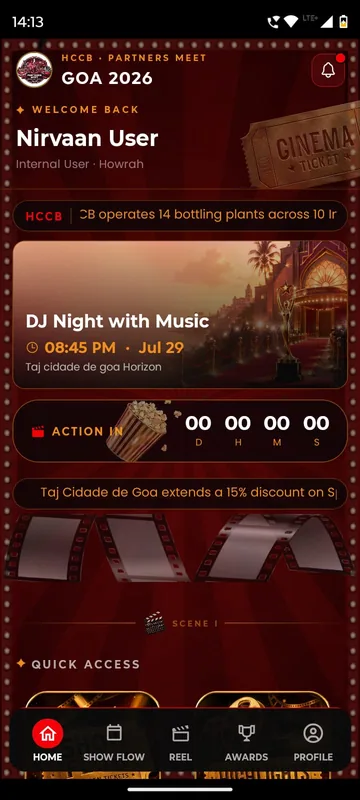
The home screen shows what is happening now and what comes next.
Guests find the hall, their table and what to wear without asking.
Banners and pinned notices keep everyone on the latest plan.
What’s included
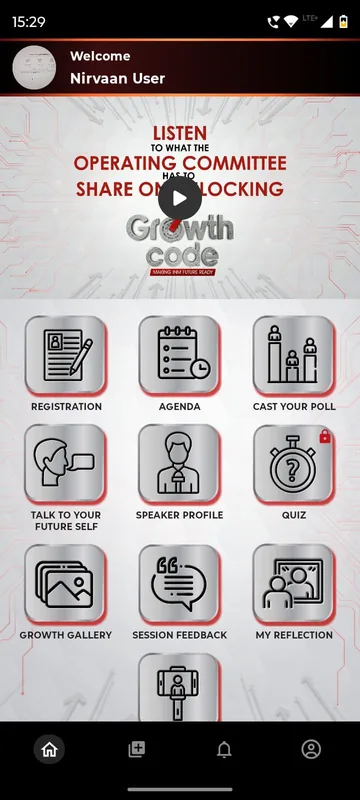
Publish speakers, dignitaries, artists and committee members as profiles with photo, role, company and biography, grouped under headings you choose. The APMI conference grouped its dignitaries by category; the Bengaluru Wedding Fraternity Meet Up gave Speakers, Artists and Committee their own tiles. Growth Code kept a speaker blurred with “Identity reveals live on stage”.
See the featureSponsor logos sit on Home and on a Sponsors page, grouped by the tiers you sold. The APMI conference showed platinum and gold sponsors on Home; EEMA Connect grouped co-sponsor, powered-by and official hospitality partners, and added a Sponsor Zone that opens onto exhibitor stalls.
See the featurePublish venue maps, floor plans by area and seating charts as pages your team can replace at any time. GCOO Conclave 2026 showed both hotels with a View button to the phone’s maps; HCCB Partners Meet 2026 published hotel zones and the banquet seating; SAREX-26 mapped a sightseeing route with a Navigate link.
See the featureLead the home screen with what matters now: a welcome video before arrival, a countdown in the last days, a pinned notice or a NOW LIVE strip when the day starts. HCCB Partners Meet 2026 put an ACTION IN countdown beside what was showing next; the Tanvi & Rutwik wedding app, in preparation, counts down beneath a note from the couple.
See the featurePublish dress codes per function or evening, travel advisories and conduct notes as pages. HCCB Partners Meet 2026 paired a Bollywood style guide with a Goa travel advisory; Unstoppable NAMI 2026 illustrated a look for each evening; Occasion Xperts listed wedding etiquette. Each page can stay locked until its day.
See the featureAgenda & information
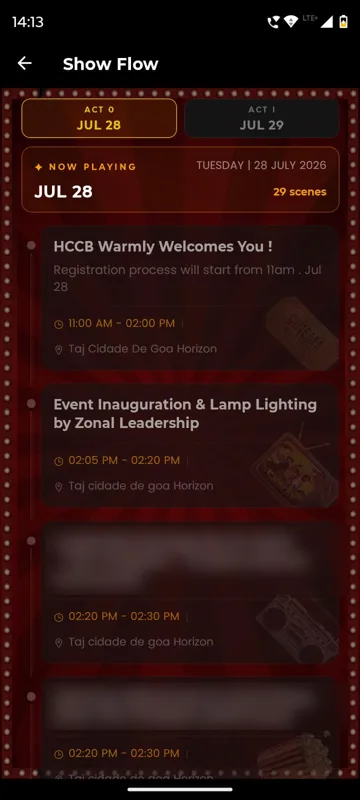
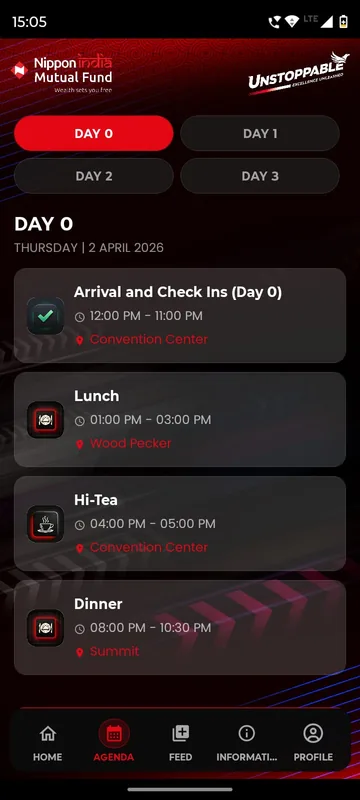
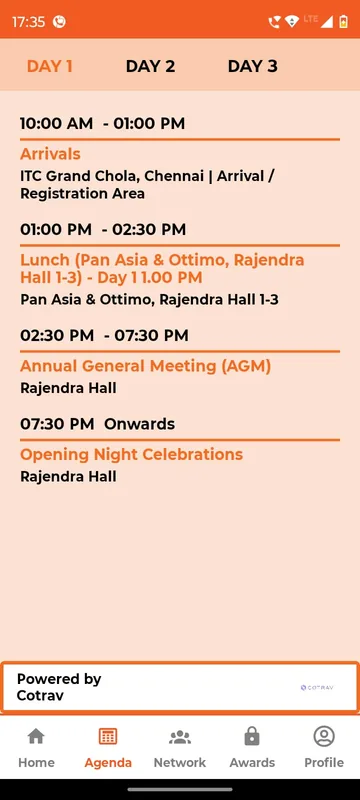
Publish the programme as day tabs with times, venues and notes, or as posters and PDFs when that is how your team already designs it. Call it Show Flow, Programme or Itinerary. The running session and the next one can sit right on the home screen.
Explore agenda, show flow and live / up nextAgenda & information
Most guest questions are answered by a page: about the city, the venue, what to pack, the weather, safety and FAQs. Unstoppable NAMI 2026 kept them under one Information tab. SAREX-26 added a protocol guide that stays on the phone after the first open, and GCOO Conclave 2026 published safety and social media guidance.
Explore information pages, FAQs and documents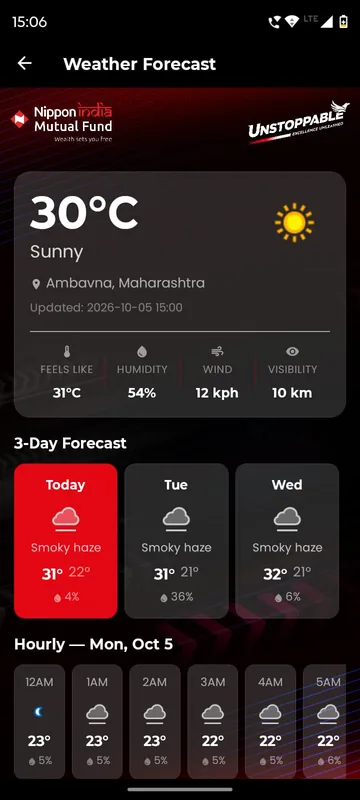
Partner meet · Goa · Jul 2026
A two-day partners meet built like a film premiere, with travel per guest, awards, games and partner-only content.
Read the storyMore of the platform
Posts, photos, reactions and reels in a feed only your guests can see, a social wall for the venue screen, and albums with download controls that keep the memories in one place.
A delegate directory, chat requests with an accept step, group discussions and QR contact exchange, with blocking and moderation so networking stays welcome.
Live polls, quizzes, word clouds and session feedback, in the app or from a QR code with no login. Results move live on the venue screen and export by group afterwards.
A library of ready games, physical-digital treasure hunts and custom games built in your branding. Every score feeds one leaderboard, for individuals or teams.
QR and AR treasure hunts, image-scan cards and printed markers around the venue. Each scan turns into points on the leaderboard or unlocks the next clue.
Guests earn wallet points for taking part and spend them in a reward store with stock limits. A desk verifies each redemption by QR, and spending never changes anyone’s rank.
FAQ
Yes. The label is part of the occasion's look and layout. Apps have used Show Flow, Programme, Xplore, JSAgenda and My Journey, and the content can be sessions, images or PDFs.
They are static references: a map that opens from the venue banner, floor plans by area or a seating chart. Indoor turn-by-turn navigation and interactive floor plans are not standard features.
Yes. Pages, documents, notices and sponsor lists are edited in the admin panel and reach participants on their next refresh, so a venue change does not need a new release.
We switch this on in a sample app with your occasion and your groups, then send an itemised quote within one working day.