
Customer story · Year-end convention
YEC 2024: An incentive trip to Dubai that started in the app eight weeks early
YEC is HSBC's Year End Convention, an incentive journey to Dubai delivered with the agency STCH. Its Sociana app, YEC 2024, ran an eight-week pre-trip season of team challenges, a synced step challenge, puzzles and team chat, collected passports and dietary needs, and then carried the Dubai itinerary, weather, help numbers and group chat in November 2025.
Client: HSBC
teams on the leaderboard
of pre-trip challenges before Dubai
The occasion in two lines
YEC is HSBC’s Year End Convention, an incentive journey to Dubai for qualifying employees, delivered with the agency STCH. The app, named YEC 2024, went live in September 2025, ran a two-month pre-trip programme and then carried the group through the Dubai days in early November 2025.
What the client needed
The plan we drew up with the client was built for 140 participants split into teams, and it set out three phases: app launch at the end of August, pre-engagement activities from 8 September to 31 October, and event engagement from 1 November. That shaped the brief.
- Warm the group up for eight weeks. Teams had to form, get to know each other and compete well before anyone boarded a flight.
- Collect what travel needs. Passport copies, photographs and dietary needs had to come in from each person, and tickets and visas had to go back out, without a chain of emails.
- Carry the trip itself. A day-by-day itinerary, venue notes, weather, rules, help numbers and one place to reach everyone on the ground.
- Keep the team spirit visible. A leaderboard by team as well as by person, with the organisers able to pause it and close challenges on time.
What we built
A Dubai-branded front door
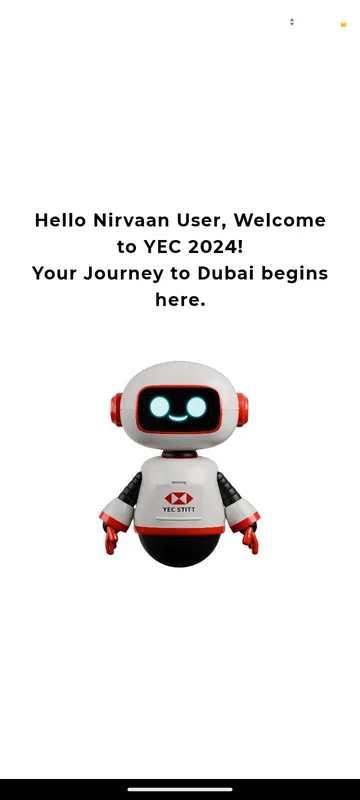
The app opened on the red YEC hexagon and a single Enter to Login button. Participants typed the mobile number they had given the organisers, pressed Send Code and entered the one-time code; first-timers added their name. A welcome card then typed out a personal line: “Welcome to YEC 2024! Your Journey to Dubai begins here.”
A home built around three doors
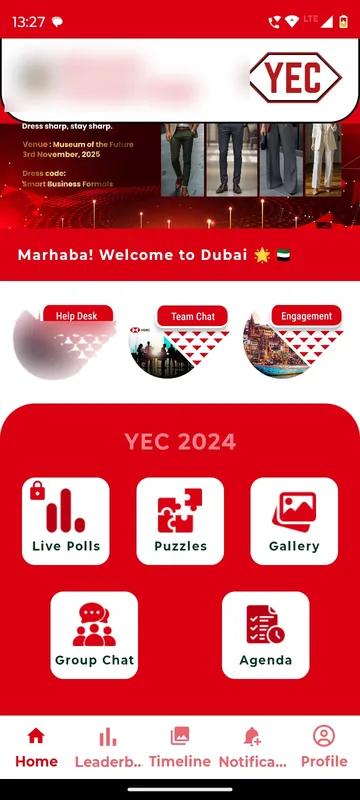
Home showed the participant’s name and, during the step challenge, their total steps. Below the reels and a rotating banner sat three round shortcuts, Help Desk, Team Chat and Engagement, then a YEC 2024 block with Live Polls, Puzzles, Gallery, Group Chat and Agenda. Party invitations ran as banners, such as the Skyline Soiree at Aura Skypool on 1 November 2025.
Engagement: a season of challenges
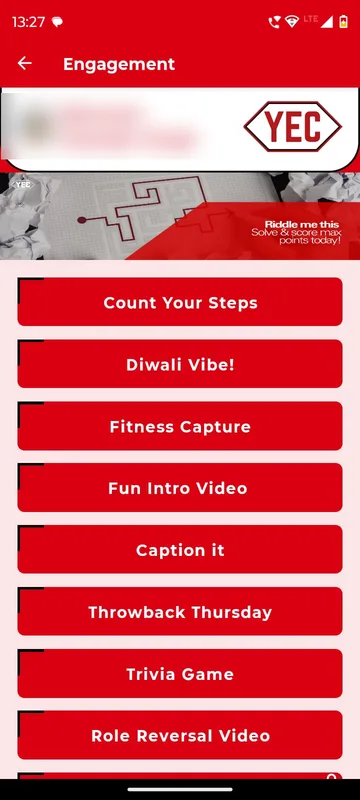
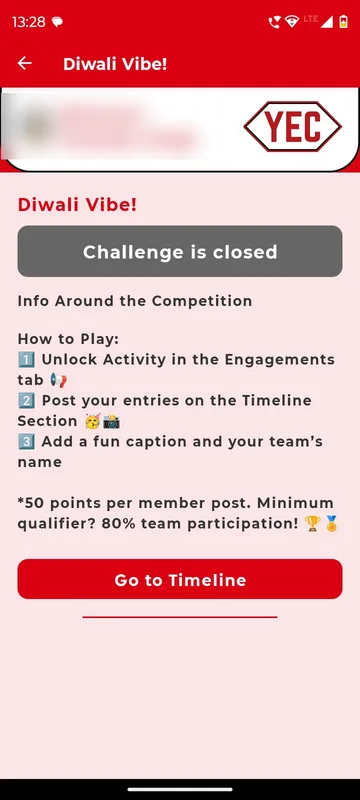
Engagement listed every activity with its rules and a shortcut to the leaderboard, timeline, puzzles or polls. The list in the app reads Count Your Steps, Diwali Vibe, Fitness Capture, Fun Intro Video, Caption it, Throwback Thursday, Trivia Game and Role Reversal Video. Each content challenge asked teams to post on the Timeline; Diwali Vibe, for example, gave 50 points per member post and required 80% of a team to take part to qualify. When a challenge ended it showed Challenge is closed.
Count Your Steps
The step challenge read the phone’s own count after permission: Health Connect or Google Fit on Android, Apple Health on iPhone. A Challenge starts in countdown ran until launch, Sync Steps pushed the latest total, and Go to Leaderboard showed the rank. At the deadline the screen switched to Steps Challenge is closed.
Puzzles between sessions
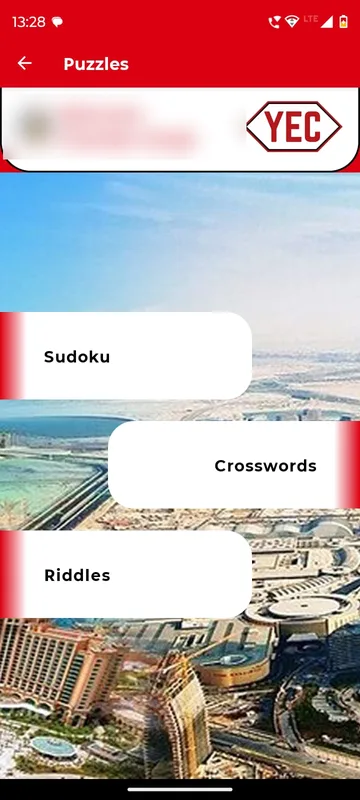
Sudoku, Crosswords and Riddles sat behind one tile, set against a Dubai skyline, for the quiet minutes between activities.
A leaderboard by team and by person
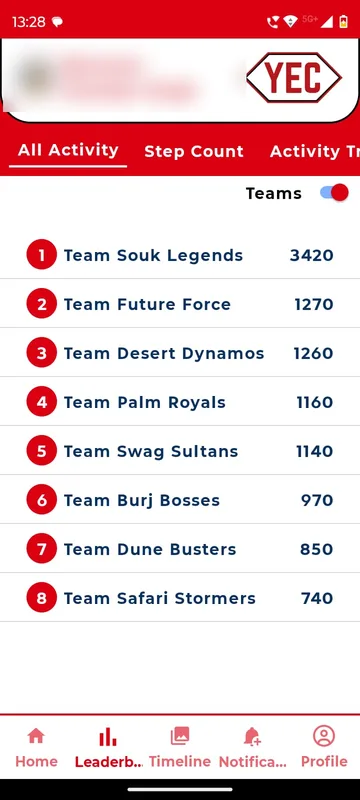
The Leaderboard tab split into All Activity, Step Count and Activity Tracker, each with an Individual / Teams switch. Teams carried Dubai names, from Souk Legends and Desert Dynamos to Burj Bosses and Safari Stormers. Organisers could lock the board while they checked entries.
Team chat and one group chat
Each team had a private Team Chat room; a participant not yet placed saw “Currently No Group Is Created Yet”. One Group Chat for everyone, with @mentions, carried the logistics on the ground: coach boarding times and breakfast arrangements.
Documents for travel
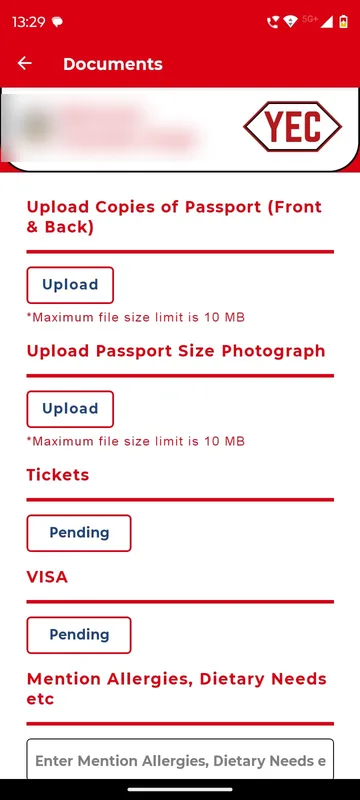
In Profile, Documents listed what the organisers needed: passport copies front and back, a passport-size photograph and allergies or dietary needs. Items the organisers owed, such as Tickets and Visa, showed as Pending until they were uploaded back. Participants could send photos, PDFs or text files, up to five at a time and each under 10 MB.
The trip itself
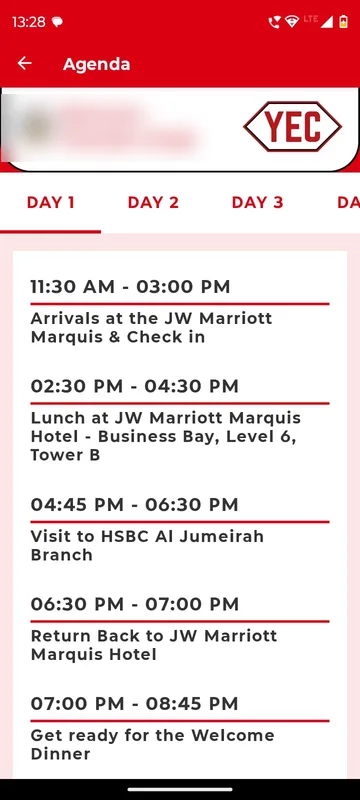
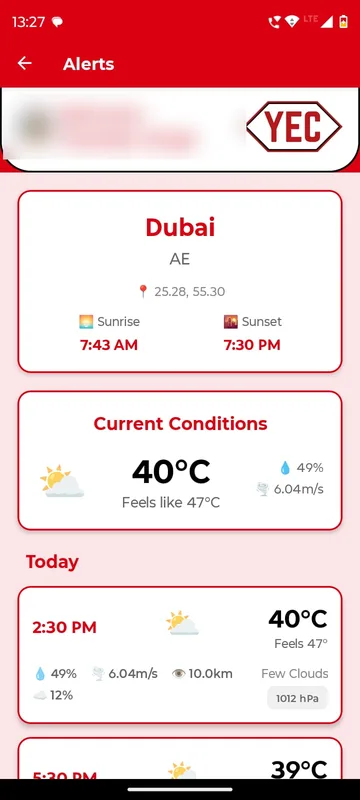
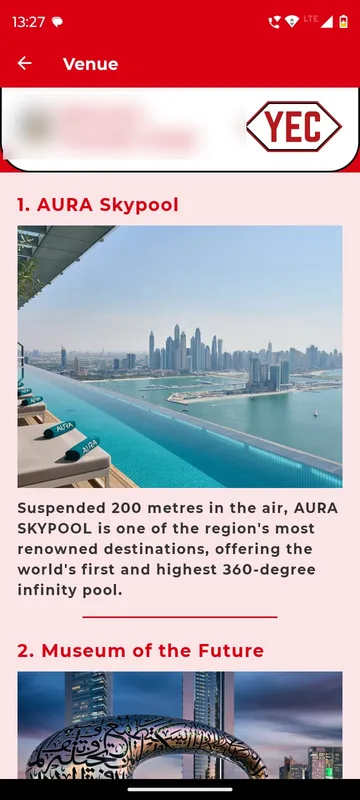
Agenda ran Day 1 to Day 4. Day 1 began with arrivals and check-in at the JW Marriott Marquis, lunch in Business Bay, a visit to the HSBC Al Jumeirah branch and the welcome dinner. Help Desk opened Alerts with live Dubai weather, Helpline numbers, Do’s & Don’ts, Venue notes on places such as Aura Skypool and the Museum of the Future, and the terms.
Organiser tools on the phone
Managers saw three extra buttons on Profile: Attendance per session or activity, scanning each participant’s QR; Trigger Notifications with a title, message, time and target groups, held under Upcoming until sent; and Trigger Live Polls with a Visible on or off switch. The same personal QR doubled as a contact card that saved name, phone, email and designation to another phone.
How it ran
The app went to the audience on 1 September. Teams were set up and members placed before the first challenge, the Do’s & Don’ts asked everyone to finish pre-event activities before travelling, and each challenge opened and closed on its stated dates so rankings could not shift afterwards. Documents came in through the app while the organisers returned tickets and visas the same way. From 1 November the same app turned into the trip companion: itinerary, banners for each evening, weather, group chat for coaches and meals, and a gallery link to the photos.
What came out of it
Eight teams were ranked on the team leaderboard across the season, and every challenge closed on its stated date.
What we would do again
- Start weeks before departure. A pre-trip season gave teams a reason to open the app daily long before the flight.
- Team-first scoring with a participation qualifier. Rules like “80% of the team must post” kept whole teams involved, not just the keenest few.
- Documents inside the app. One checklist per person replaced email attachments and showed both sides what was still outstanding.
- Help Android users link Health Connect and Google Fit on day one. It is the most common reason steps do not sync, so we would brief it at launch.
What we built
Modules switched on for this app
Related stories
More events on Sociana
Unstoppable NAMI 2026
NAM India · with Mintlabs
Three days at Aamby Valley with ID collection, a resort guide, the Nippon Quiz and live polls the leadership could trigger.
Read the story
Lakshya 26
Zydus Wellness
A focused annual-conference companion: room numbers on Home, a day-wise agenda and a quiz switched on from the stage.
Read the story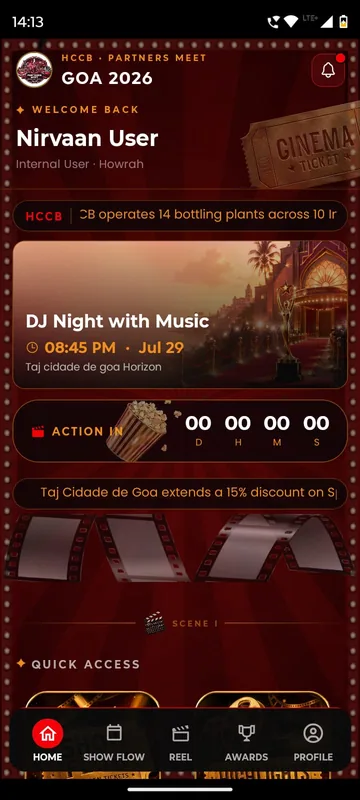
HCCB Partners Meet 2026
Hindustan Coca-Cola Beverages
A two-day partners meet built like a film premiere, with travel per guest, awards, games and partner-only content.
Read the storyPlanning something similar?
Tell us about your year-end convention. We will show you the closest apps we have built and how yours would look.