
In preparation · Wedding
Tanvi & Rutwik wedding app: Guest hospitality, rituals and family games in one app
A three-day wedding app that collects IDs and travel, explains every ritual and keeps both families playing for points.
Client: Private wedding
The occasion
Tanvi and Rutwik marry over three days in Pune. Family and friends travel in from other cities, some from abroad. The wedding has not happened yet, so this page describes the app as built and the plan for using it.
What the family needed
A three-day destination wedding creates a hospitality problem long before it creates a party. Every guest needs a hotel room, which means the hotel needs a government ID for each one. Every arrival and departure needs a pickup, which means someone has to collect flight details from every guest and then tell each of them what was booked. That usually happens in a family WhatsApp group and a spreadsheet, and it breaks the moment someone changes a flight.
So the app has three jobs. First, one structured place where each guest gives their ID and travel details, and later reads back their own flights, room and transport. Second, a calm, invitation-quality home for the agenda, the venue, the dress code and the couple’s own words, so nobody has to scroll a chat for the Sangeet time. Third, something that brings the bride’s side and the groom’s side together before they meet in Pune.
What we built
An invitation that is also the login
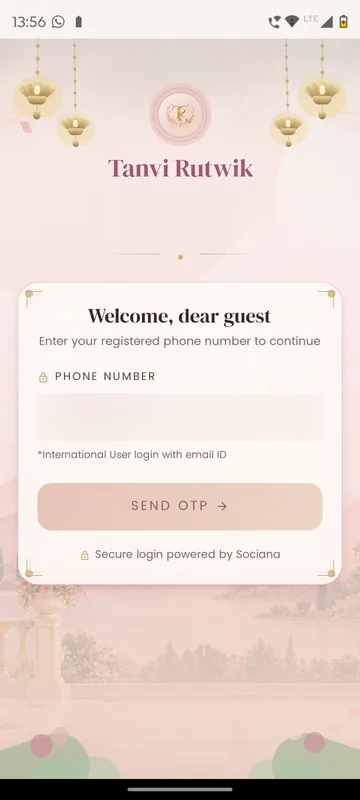
The app opens on an ivory save-the-date card with the couple’s monogram and a single Enter to Login button. Guests type the mobile number they gave the family and receive a five-digit code; relatives abroad type their email instead. There is no password and no sign-up form. First-timers add a name and, if they like, a photo.
Your Hospitality, on Home
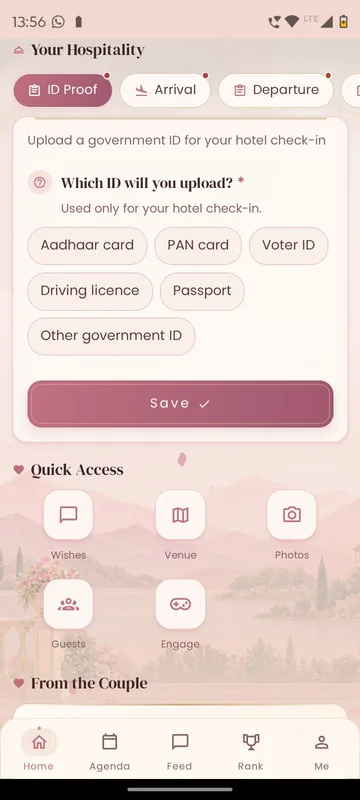
The most important card sits on Home, just under the event updates. Your Hospitality has one tab per topic: ID Proof, Arrival and Departure. The ID tab asks which document the guest will upload (Aadhaar, PAN, Voter ID, driving licence, passport or another government ID) and says plainly that it is used only for hotel check-in. Questions can be typed answers, choices, a date and time, or a file such as a ticket. A tab with questions still open is marked Action needed, a missing required answer turns red, and once a detail is locked the guest is pointed to the hospitality desk.
Travel Details, read back to each guest
On the Me tab, four cards hold the guest’s own trip: outbound flight, return flight, hotel reservation and local transportation. Each card shows either Pending from you, when the guest still owes something, or Awaiting details, when the hospitality team is adding it. The guest never has to ask “which car is mine?” in a group chat.
The couple’s voice and the countdown
Home also carries a personal note from the couple, a live countdown in days, hours, minutes and seconds, a sliding banner with an optional welcome video, and a short message from the organisers.
An agenda that explains the rituals
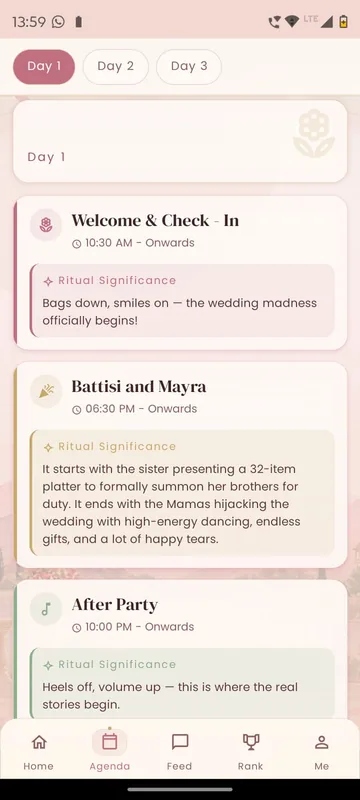
The Agenda tab groups the three days into Day 1, Day 2 and Day 3. Each function has its time and venue and, for the ceremonies, a Ritual Significance note, so a friend from abroad knows what the Battisi and Mayra is before they walk in. Before the schedule is final, guests see “Schedule coming together” instead of a half-finished list.
Venue, guests, wishes and photos
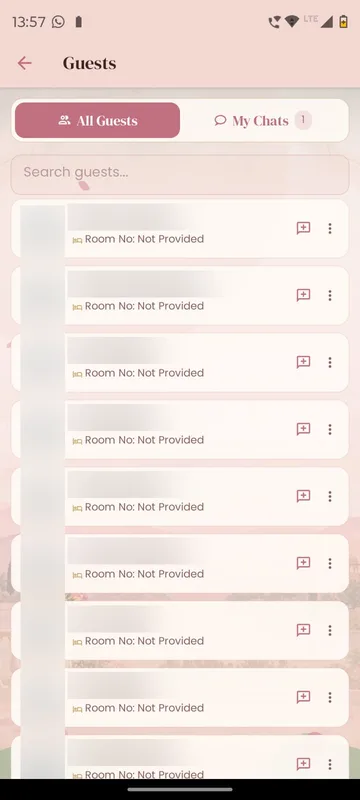
Five round shortcuts sit under Your Hospitality. Venue shows the hotel with a zoomable image and a View Map button for directions. Guests is a searchable directory where anyone can open a chat, and My Chats keeps those conversations together. Wishes is a wall of blessings for the couple. Photos holds albums for the Mehendi, Haldi and Sangeet, takes guest uploads, and can switch to an AI Event Highlights page where guests find photos of themselves after the wedding.
Rishtey, sides and games
Each guest says how they are related to the couple (Mama, Bua, Dost) and picks one side: Bride Side or Groom Side. Engage holds wedding-themed games, Rishtey, Memories, Riddles, Mad Libs and a Crossword, each on its own monogrammed card with an unlock date, so a new game opens every few days. Points from games, quizzes and polls feed the Rank tab, which shows individual rankings, per-game ranks and team standings for the two sides.
A feed the family actually posts to
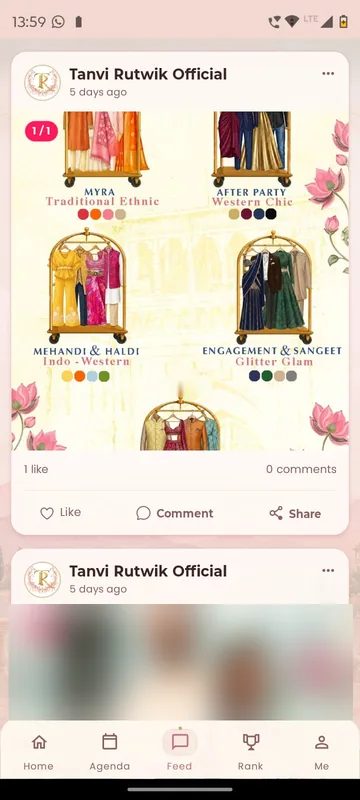
The Feed is the wedding’s social wall. Official posts carry the practical things, such as an illustrated outfit guide for every day, and guests add photos and videos with the wedding hashtag, then like, comment or share to WhatsApp.
Tools for the family organisers
Family members given organiser access see two extra items on Me. Attendance opens a list per function with All, Present and Absent tabs; scanning a guest’s QR shows their name, city and whether their ID is uploaded, and Add User takes a phone number or email for anyone without a code. Trigger Notifications schedules alerts in advance, to everyone or to one side, such as “Buses leave for the Sangeet in 15 minutes”.
How it will run
Before travel, the family’s guest list decides who can log in and which side they belong to. Guests fill their hospitality tabs over the following weeks, the hospitality team publishes each guest’s travel cards, and the games unlock one by one. The engagement plan behind the app spans the 75 days before the wedding: couple quizzes, Mad Libs, memory drops, a Choose Your Side moment, predictions and a Travel-to-Pune bingo, building to a Final 10 mode with the itinerary and dress code.
When the first function begins, the plan switches the app into a live wedding mode for the three days, with treasure-hunt missions around the venue, live performance voting at the Sangeet, a baraat prediction on the wedding day and awards at the end. Organisers mark attendance at each function and send timing alerts. Afterwards, the albums and AI Event Highlights stay open, wishes and memories remain readable, and any guest can delete their account from the Me tab.
Earlier Sociana weddings
Five earlier Sociana weddings in 2021 and 2022 recorded between 121 and 362 app downloads each. At one Bengaluru wedding, 118 guests checked in through the app because that was where their room number appeared, and 1,523 extra photos and videos were added to the gallery.
The design choices
The app puts the hospitality questions on Home, not in a menu, not in a menu, and reads the answers back to each guest on their own cards. The agenda is a guide to the rituals, not just a timetable. The two sides get a reason to talk before they meet, and unlock dates pace the games so the app has something new every few days and late joiners still have points to win during the wedding.
What we built
Modules switched on for this app
Related stories
More events on Sociana
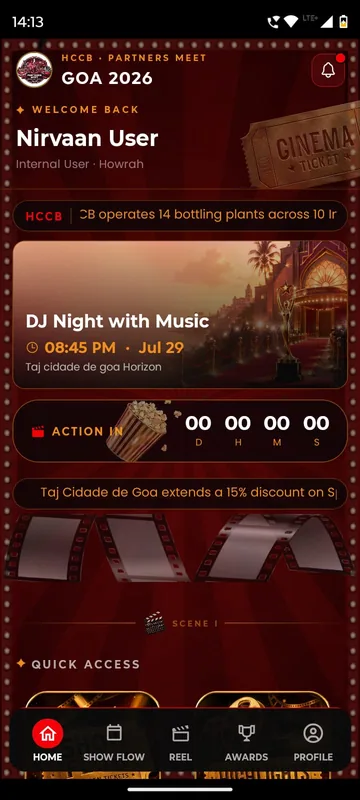
HCCB Partners Meet 2026
Hindustan Coca-Cola Beverages
A two-day partners meet built like a film premiere, with travel per guest, awards, games and partner-only content.
Read the story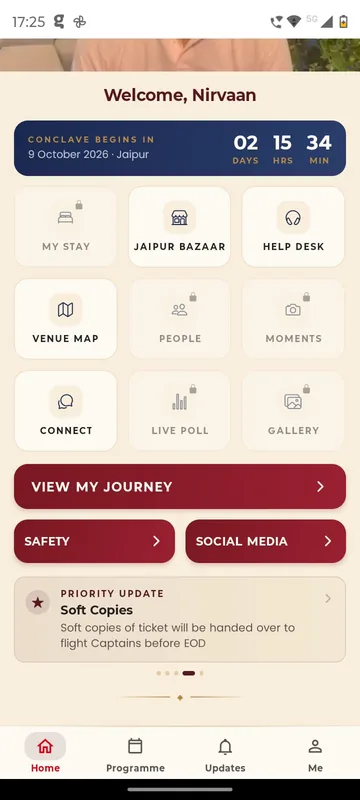
GCOO Conclave 2026
GCOO Conclave
Senior delegates across two Jaipur hotels found their stay, journey and help desk first, before the agenda.
Read the story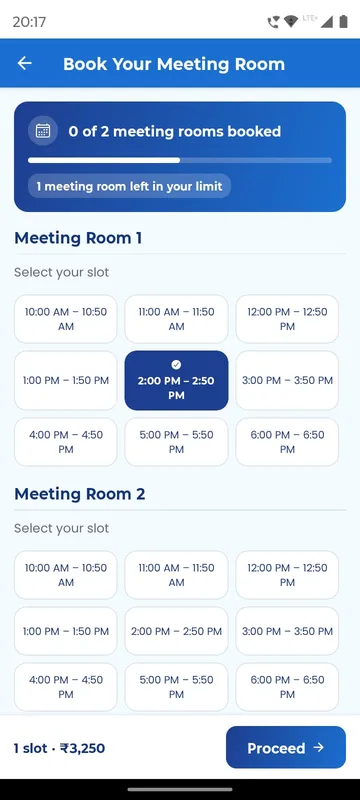
APMI Annual Conference 2026
Association of Portfolio Managers in India · with Pine Tree
Members booked and paid for meeting-room slots inside the conference app, alongside agenda, polls and networking.
Read the storyPlanning a wedding like this?
Tell us about your wedding. We will show you the closest apps we have built and how yours would look.