
Sociana Play · Stage game · guided demo
Try-On Mirror
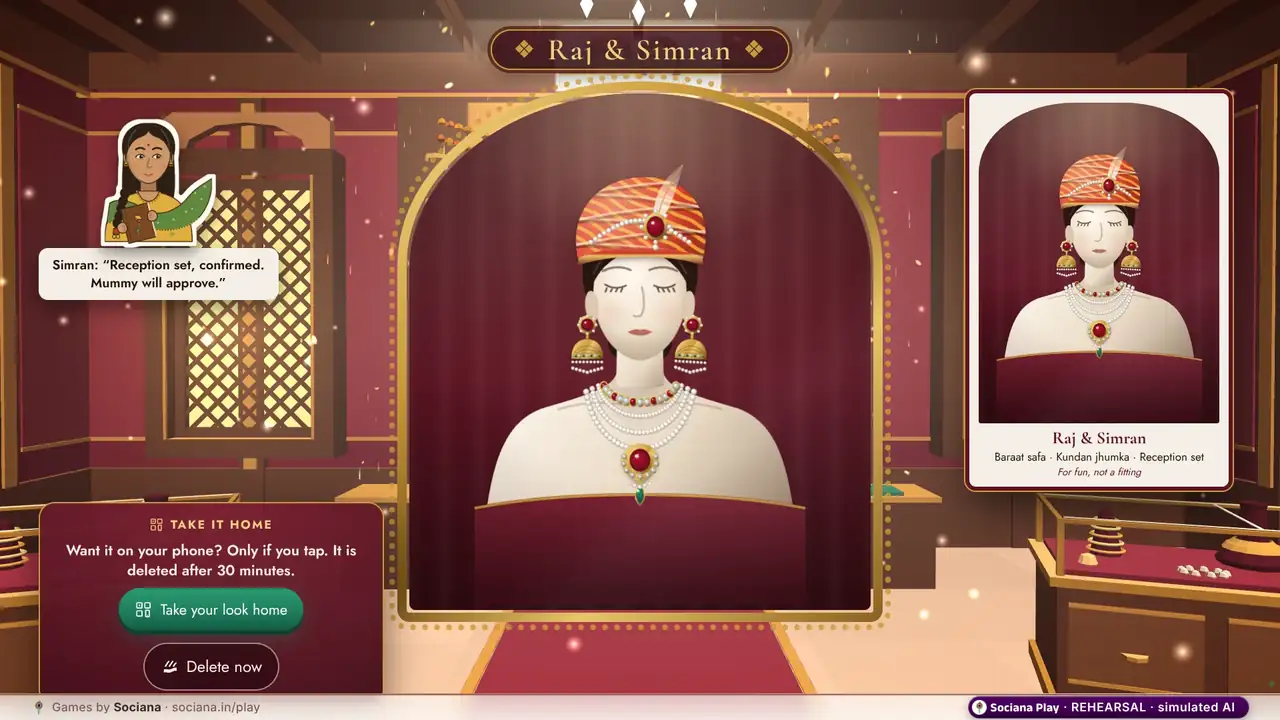
A staffed jeweller’s mirror kiosk where guests see the safa, the jhumkas or the reception set on themselves, live.
A staffed kiosk or big-screen experience, not a phone game: our team sets it up and runs it on site, and we play it with you live in a guided demo. The camera stays on the kiosk and nothing is saved unless the guest chooses.
The moment it is built for: A tapped piece lifts off the velvet tray and settles on the guest in the carved mirror; the brass bell prints the look like a jeweller’s receipt.
At a glance
- Best for
- weddings, exhibitions, festivals and campus fests
- Group size
- 1+ recommended, up to 1,000 phones
- How the room plays
- Guests drop in when they like; it runs in the background all event
- Time
- Runs all through the event
- Energy
- Calm
- You need
- A staffed kiosk with a laptop camera and a big screen; no phones needed, and the camera stays on the kiosk
- When it fits
- A bridal or jewellery expo stall, a mehendi day, a festive mela or mall, or house colours at a campus fest. One guest, or a couple, at a time, about a minute each, with a steady queue.
- Try it
- Self-running demo + guided demo call
How Try-On Mirror plays
At the kiosk
Tap Start mirror, pick pieces from two velvet trays, then ring the brass bell for a picture. A guest who wants the picture takes it home by QR.
On the host console
Our team runs the kiosk on the stall. The host decides whether a picture can be taken home.
On the big screen
The guest in the mirror wearing the chosen pieces, live.
How it ends: A picture leaves the kiosk only if the host allows take-home and the guest asks. It is for fun, not a fitting.
The full description from the games team
A jeweller’s mirror chamber on the stall’s kiosk. The guest taps Start mirror, picks a piece from the velvet trays and sees it on themselves, then rings the brass bell for a picture. The camera stays on the kiosk; a picture leaves it only if the host allows take-home and the guest asks. Kiosk-only, so there is nothing to play on a phone. For fun, not a fitting.
Ready-made versions by occasion
Each version comes with its own story, wording and look. Watch the one closest to your event.
- Wedding
Try the safa and the necklace
A mirror kiosk on the mehendi day: baraat safas and the reception set on the velvet trays, a picture when the bell rings.
At the kiosk: “A mirror kiosk with safas, jhumkas and the reception set on velvet trays. Pick one from each and ring the bell for the picture.”
- Exhibition
Jewellery and bridal expo try-on
The stall’s pieces on a mirror kiosk: every visitor wears one for a moment and takes a picture home by QR if they want it.
At the kiosk: “The stall’s pieces on a mirror kiosk. Visitors try them on, ring the bell and take the picture home only if they ask.”
- Festival
Festive mirror at the mela
A festive-season mirror at the mela or the mall atrium: a safa, jhumkas and fest shades, a picture at the bell.
At the kiosk: “A festive-season mirror kiosk: a safa, jhumkas and fest shades on velvet trays, and a picture when the bell rings.”
- Campus fest
House colours mirror
House stripes, fest shades and a safa on a mirror kiosk at the fest. Your house, your picture.
At the kiosk: “House stripes, fest shades and a safa on a mirror kiosk. Ring the bell for a picture in your house colours.”
The story in the demo
The mehendi afternoon. Lajjo brings out the heavy set, Simran tries the safa first, and the bell rings every few minutes.
Raj, Simran, Bauji and the rest are an illustrated sample cast, not real people. At your event the same game carries your own names and photos.
Formats it runs
- Try the Safa and the Necklace. A mirror at the mehendi where guests try a safa, a necklace or a maang tikka on their own face, for fun, not a fitting. (Kiosk · mehendi evening)
- Jewellery Stall Mirror. A mirror at a bridal or jewellery expo stall, so visitors see a necklace or jhumka on themselves before they ask to hold it. (Kiosk · all day)
- Festival Dress-Up Mirror. A dress-up mirror at a campus fest or a festival corner: try a turban, a nath or a long necklace for a laugh. (Kiosk · open corner)
How to run Try-On Mirror at your event
- Pick the version. Choose the wedding version or another occasion’s, then add your names, photos, questions and colours.
- Put up the big screen. A big screen is optional: guests can play entirely on their phones, and the big screen adds the room view.
- Guests join. Guests walk up to the staffed kiosk and follow the prompts on its screen. Nothing to install, no sign-up, and the camera stays on the kiosk.
- Run it from the console. Our team runs the kiosk on the stall. The host decides whether a picture can be taken home.
- The finish. A picture leaves the kiosk only if the host allows take-home and the guest asks. It is for fun, not a fitting.
Recommended in
Picked for your
Based on the games you looked at and tried on this site, remembered only in this browser.
Pair it with
AI Antakshari
The family song-chain classic, refereed by AI: teams sing a song that starts with the last letter, and the AI checks the letter and every repeat.
Voice Booth
A voice booth: toasts for the couple polished by AI into a reception playlist, or any line re-performed as a cricket commentator or news anchor in a stock AI voice.
Crowd Cam
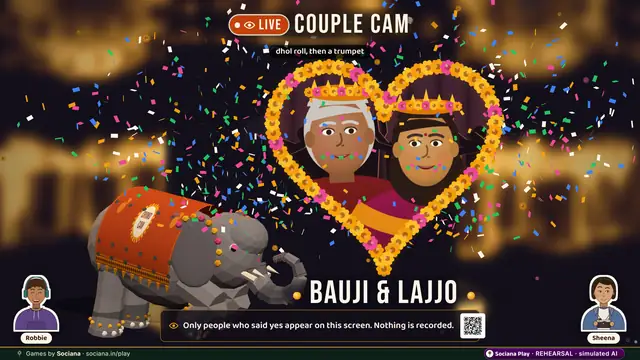
A staffed big-screen experience: the dance floor paints the screen in marigold while a festival haathi walks the room.
Pose Match
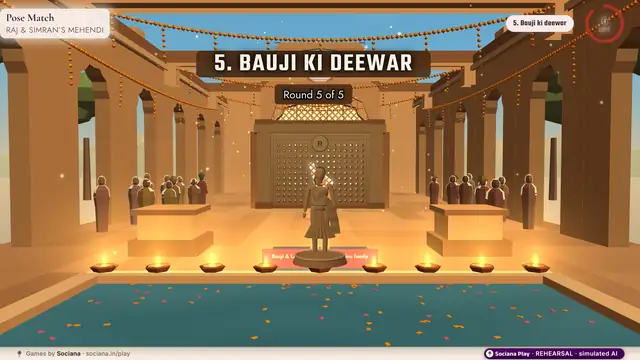
A staffed kiosk game on the big screen: a carved jaali wall glides in with a body-shaped hole; make the shape and fit through, or tip into the pool.
Big Red Button
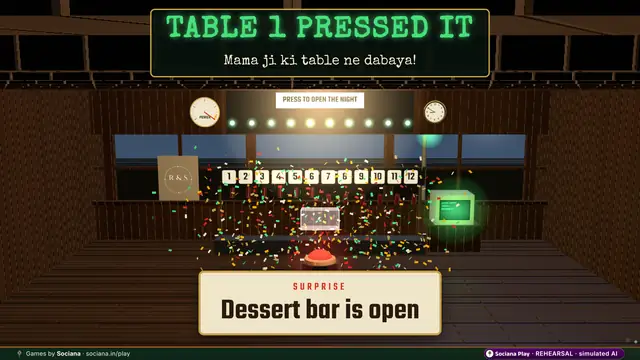
One button, the whole room, a surprise nobody saw coming.
Chaat Counter
A street-food stall where every phone is one station, so nobody can finish a plate alone.
All 68 Sociana Play games · Game ideas by occasion · The Sociana platform
Sociana beyond the games: weddings
The event app and platform around the games, and customer events we have delivered. Labels say what is delivered, live or still being built.
- Delivered · Bengaluru · 18 Jul 2026BWF Meet Up 4.0An exhibition app where every stall became a lead desk and delegate networking stayed for paid attendees.
- In preparationTanvi & Rutwik wedding appA three-day wedding app that collects IDs and travel, explains every ritual and keeps both families playing for points.
- Event appThe Sociana app for weddingsThe event app around the games: guest lists, schedules, check-in and updates in one place.
- Partly liveRegistration & RSVPGuest lists, approvals, teams
- Partly liveWhatsApp entry & remindersPasses and nudges in the chat
Questions people ask
Is it a phone game?
No. It is kiosk-only, with nothing to play on a phone.
Where does the camera stay?
On the kiosk. Nothing is saved unless the guest asks for the picture and the host allows take-home.
How long does Try-On Mirror take?
Runs all through the event. A bridal or jewellery expo stall, a mehendi day, a festive mela or mall, or house colours at a campus fest. One guest, or a couple, at a time, about a minute each, with a steady queue.
How many people can play Try-On Mirror?
1+ recommended, up to 1,000 phones. Guests drop in when they like; it runs in the background all event.
Do guests need to download an app?
No. Guests scan a QR code and play in the phone browser. The big screen is a web page on any laptop connected to the LED wall, projector or TV, and the host runs it from a console on a phone or laptop.
Can Try-On Mirror carry our names, photos and branding?
Yes. At a wedding it carries the couple’s names, photos, monogram and hashtag (never sponsors); at a company event your logo, colours, values and team names; at a booth your product and brand. We set it up with your content before the day.
Why is there no self-serve trial of Try-On Mirror?
It needs a microphone or a camera and real AI, which a simulated trial cannot show honestly. Watch the self-running version, then book a short guided demo where we play it with you live.
How is Try-On Mirror priced for an event?
Per occasion, by the games chosen, the number of screens and the days on site. Send the date, city and rough guest count with the form on this page, and we reply with an itemised quote within one working day.
Shortlist sent
A person on our team will reply within one working day with setup notes and an itemised quote.
Meanwhile, start a free trial of any game and play it with friends.